Claude Code Weekly Updates (2.1.83 - 2.1.87)
2026年3月23日~3月29日の間の、Claude Codeの変更について個人的に気になったものをピックアップしました。
TL;DR
- version: 2.1.83 -> 2.1.87
- changes: 173
- Important topics
- 日本語入力位置の改善 (CJK native cursor tracking)
- Hooks “if” フィールドによる条件フィルタリング
v2.1.83 (76 changes)
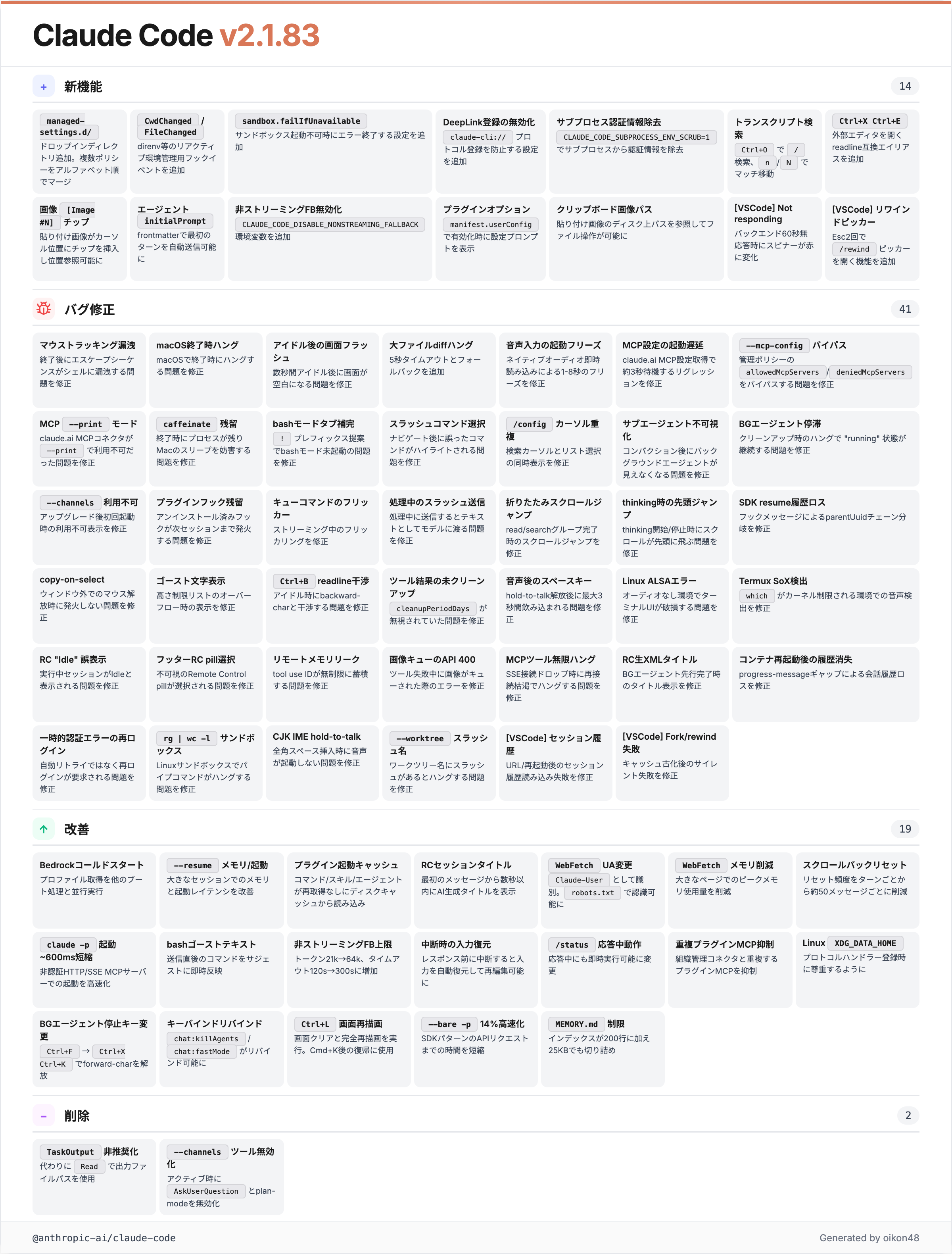
CwdChanged / FileChanged hookイベント
Added
CwdChangedandFileChangedhook events for reactive environment management (e.g., direnv)
カレントディレクトリの変更やファイル変更を検知するhookイベントが追加されました。
v2.1.84 (40 changes)
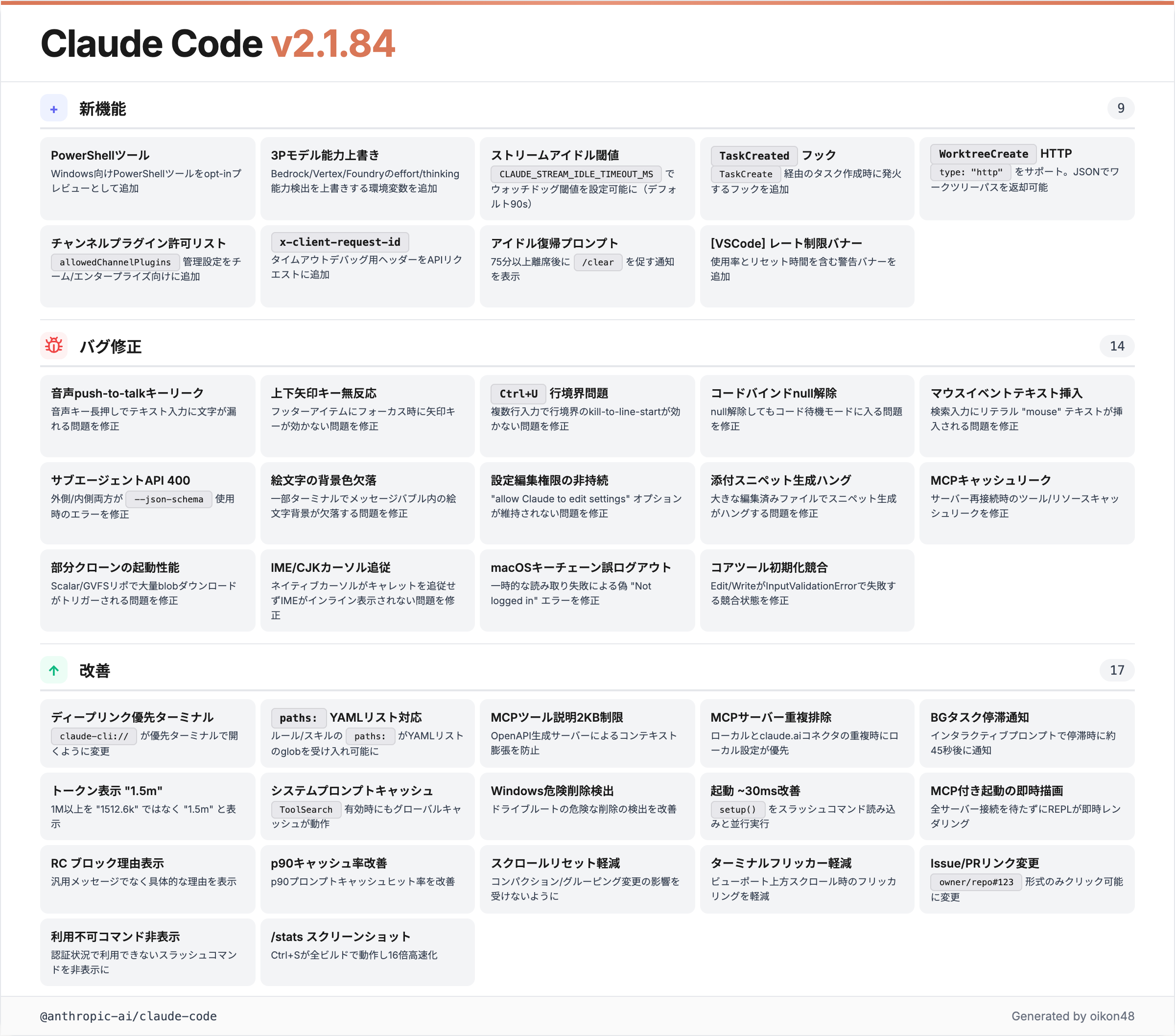
日本語ユーザーとしてはこのバージョンが一番嬉しい。CJK入力位置の修正が入りました。
日本語入力位置の改善 (CJK native cursor tracking)
Fixed native terminal cursor not tracking the text input caret, so IME composition (CJK input) now renders inline and screen readers can follow the input position
ネイティブターミナルカーソルがテキスト入力のキャレットを追跡するようになり、IMEの変換候補がカーソル位置にインラインで表示されるようになりました。
これまでのClaude Codeでは、日本語入力時にIMEの変換候補ウィンドウがカーソルと全然違う位置に表示されていました。特に長いプロンプトを入力する際に顕著で、日本語ユーザーにとって結構なストレスだったと思います。この修正で正しくカーソル位置に追従するようになっています。

【日本ユーザーに朗報】 Claude Code で日本語の入力位置が改善されたよ > Fixed native terminal cursor not tracking the text input caret, so IME composition (CJK input) now renders inline and screen readers can follow the input position
PowerShellツール (Windows opt-in preview)
Added PowerShell tool for Windows as an opt-in preview
Windows環境向けにPowerShellツールがオプトインプレビューとして追加されました。これまでWindows上のClaude CodeはBashツール経由でコマンドを実行していましたが、ネイティブなPowerShell実行が可能になります。
TaskCreated hook
Added
TaskCreatedhook that fires when a task is created viaTaskCreate
TaskCreate でタスクが作成された際に発火するhookが追加されました。最近はhookの拡充が続いていますね。タスク作成をトリガーにして外部システムへの通知やログ記録といった自動化ができます。
v2.1.85 (30 changes)
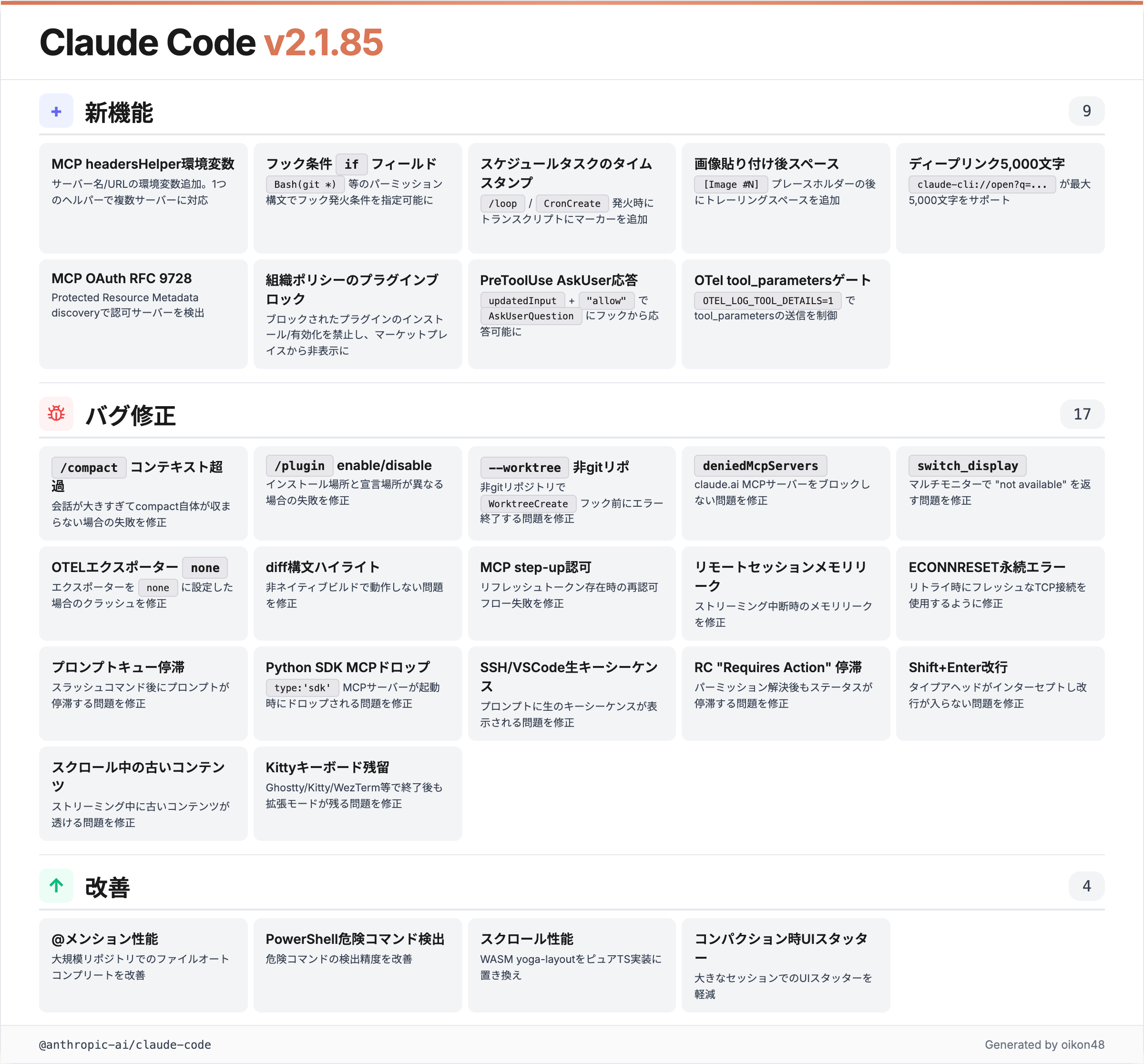
Hooks “if” フィールド
Added conditional
iffield for hooks using permission rule syntax (e.g.,Bash(git *)) to filter when they run, reducing process spawning overhead
Hooksにパーミッションルール構文を使用した条件フィールドが追加されました。例えば Bash(git *) と指定すると、gitコマンド実行時のみhookを発火させることができます。
これまではすべてのツール呼び出しでhookプロセスが起動されていたので、hookを多用するとオーバーヘッドが気になるケースがありました。if フィールドで必要な場面だけに絞れるのは実用的です。
{
  "hooks": {
    "PreToolUse": [
      {
        "if": "Bash(git *)",
        "command": "echo 'git command detected'"
      }
    ]
  }
}MCP server環境変数
Added
CLAUDE_CODE_MCP_SERVER_NAMEandCLAUDE_CODE_MCP_SERVER_URLenvironment variables to MCPheadersHelperscripts, allowing one helper to serve multiple servers
MCP の headersHelper スクリプトにサーバー名とURLの環境変数が追加されました。1つのヘルパースクリプトで複数のMCPサーバーに対応できるようになります。複数のMCPサーバーを使い分けている場合に便利ですね。
v2.1.86 & v2.1.87 (27 changes)
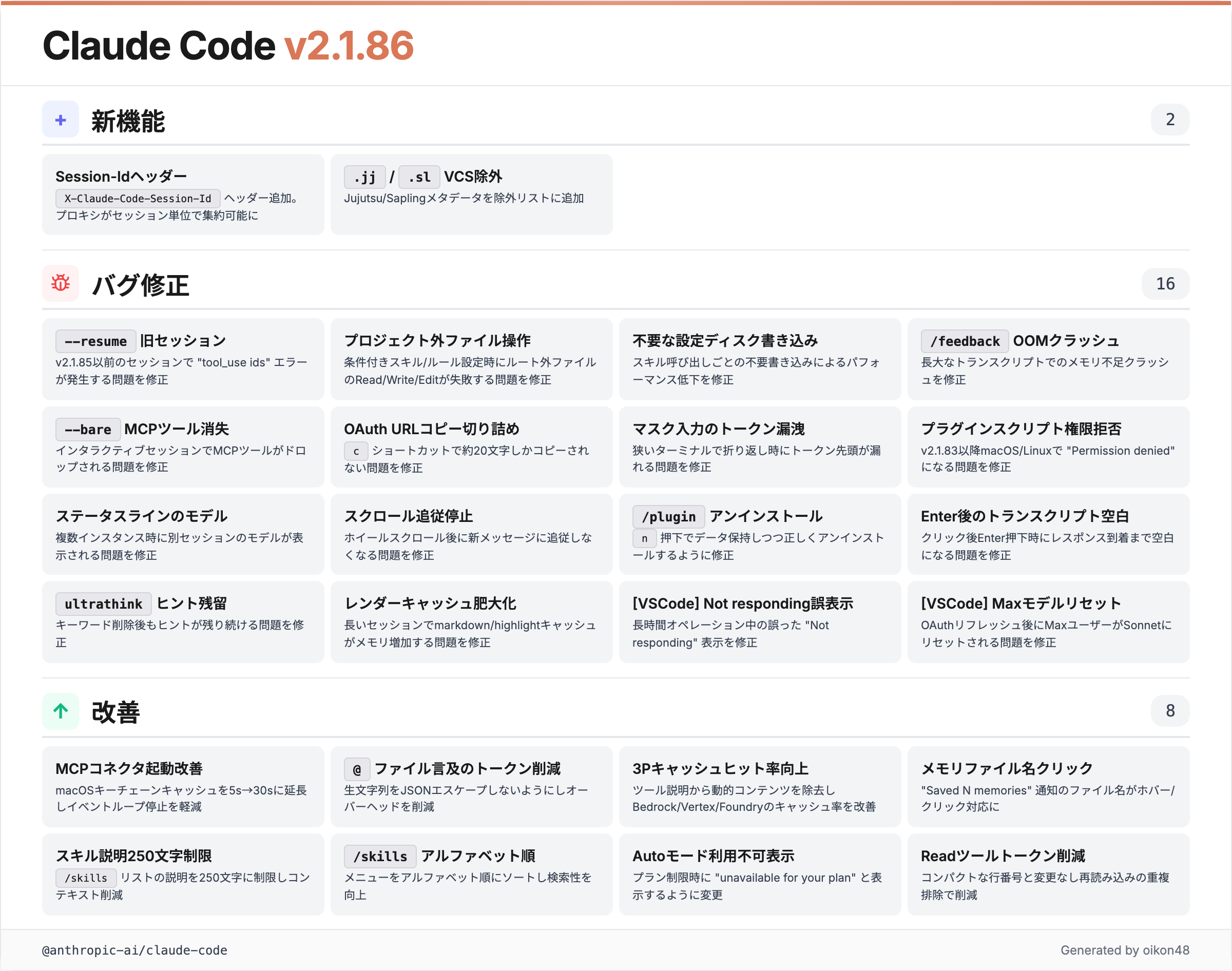
Jujutsu / Sapling VCS対応
Added
.jjand.slto VCS directory exclusion lists so Grep and file autocomplete don’t descend into Jujutsu or Sapling metadata
GrepやファイルAutoCompleteがJujutsu (.jj) やSapling (.sl) のメタデータディレクトリに入り込まないよう、VCS除外リストに追加されました。G
Claude Codeに関するその他のトピック
Claude Cowork + Desktop コンピュータ操作
Claude CoworkとClaude Code Desktopでコンピュータ操作が可能になりました。マウス、キーボード、スクリーンなどコンピュータ内のアプリケーションを直接操作できます。スマートフォンからDispatchを使って遠隔操作も可能とのこと。現在はmacOSのみ。
remote controlと似たコンセプトですが、より広範なデスクトップ操作に対応している点が面白いです。
Claude Coworkと Claude Code Desktop でスコンピュータ操作がさらに可能に。 マウス、キーボード、スクリーンなどコンピュータ内のアプリ操作が可能となるとのこと。スマホからDispatchを利用して操作も可能。現在はMacOSのみ。

Today, we’re releasing a feature that allows Claude to control your computer: Mouse, keyboard, and screen, giving it the ability to use any app. I believe this is especially useful if used with Dispatch, which allows you to remotely control Claude on your computer while you’re
Claude Code on the Web Auto fix
Claude Code on the Webに Auto fix機能が追加されました。GitHubのPull Requestをクラウド上で自動的に監視し、レビューコメントに基づいて修正を加える機能です。
実際に試してみたところ、PRでCHANGELOGへの追記が必要というレビューコメントがあった際に、自動でCHANGELOG.mdに修正を加えてくれました。CodeRabbitやCodexの自動レビューとの組み合わせが良さそうです。
Claude Code on the Web に Auto fix 機能が追加。 GitHubのPull Requestをクラウド上で自動的に監視・修正する機能。実際に試してみると、PRでCHANGELOGへの追記が必要というレビューコメントがあった際に、自動でCHANGELOG.mdに修正を加えた。 CodeRabbitやCodexの自動レビューとも相性良さそう。


Thrilled to announce Claude Code auto-fix – in the cloud. Web/Mobile sessions can now automatically follow PRs - fixing CI failures and addressing comments so that your PR is always green. This happens remotely so you can fully walk away and come back to a ready-to-go PR.
/schedule コマンド
Claude Codeに /schedule コマンドが追加されました。Claude Codeのクラウド環境でcronを使って、指定した時間にタスクを定時実行できます。Webブラウザからも直接アクセスして設定が可能。
定期的なコードレビューやレポート生成の自動化に活用できそうですね。
Claude Code で /schedule コマンドが利用可能に。 Claude Code の cloud環境でcronを使って、Claudeがタスクを定時実行する。Webブラウザから直接アクセスも可能 (というかWebの方が簡単そう) claude.ai/code/scheduled


Use /schedule to create recurring cloud-based jobs for Claude, directly from the terminal. We use these internally to automatically resolve CI failures, push doc updates, and generally power automations that you want to exists beyond a closed laptop
おわりに
Thank you for reading!