Claude Code Weekly Updates (2.1.83 - 2.1.87)
Here are the Claude Code updates from March 23 - 29, 2026 that caught my attention.
TL;DR
- version: 2.1.83 -> 2.1.87
- changes: 173
- Important topics
- CJK input position fix (native cursor tracking)
- Hooks conditional
iffield
v2.1.83 (76 changes)
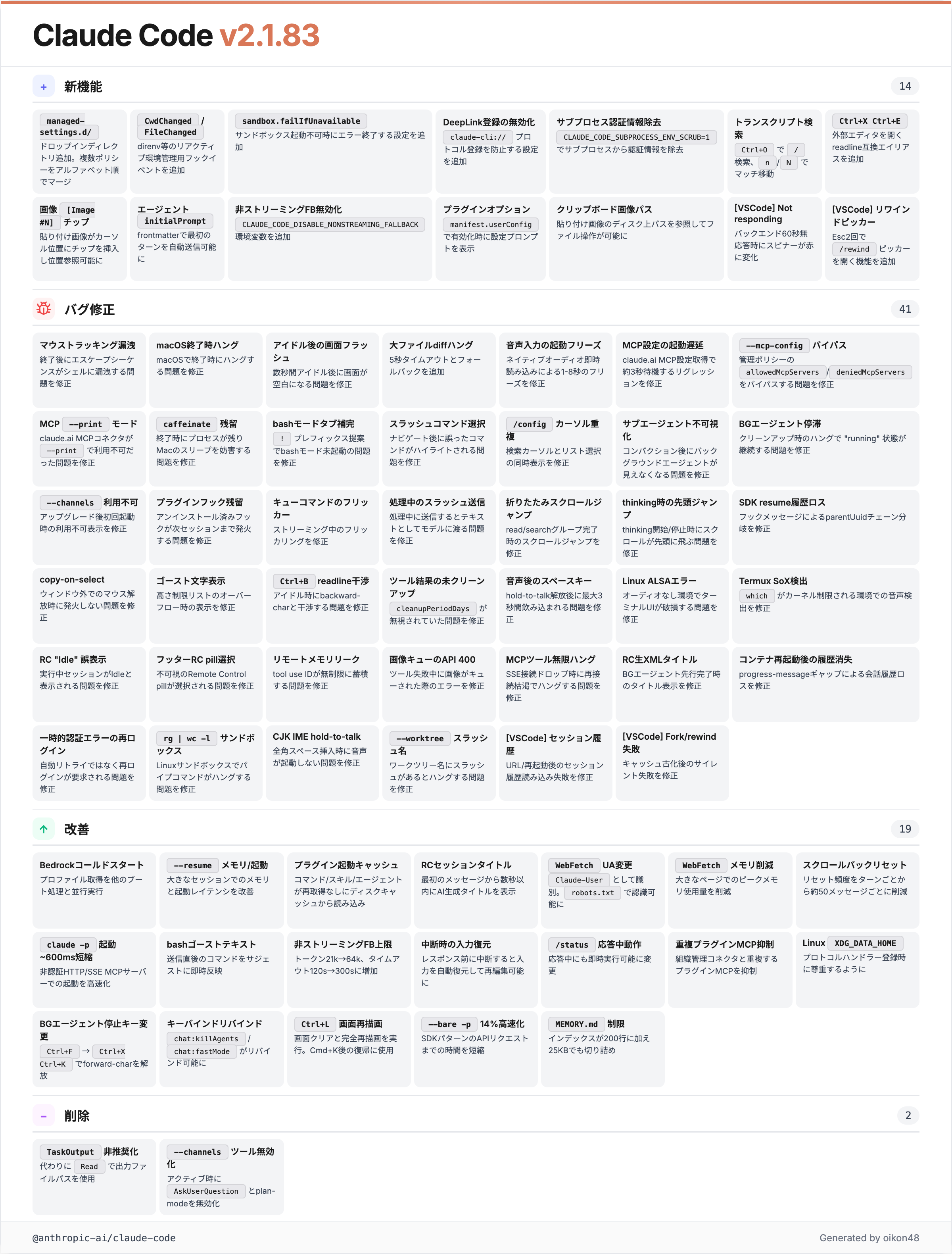
CwdChanged / FileChanged Hook Events
Added
CwdChangedandFileChangedhook events for reactive environment management (e.g., direnv)
New hook events fire when the current working directory changes or files are modified.
v2.1.84 (40 changes)
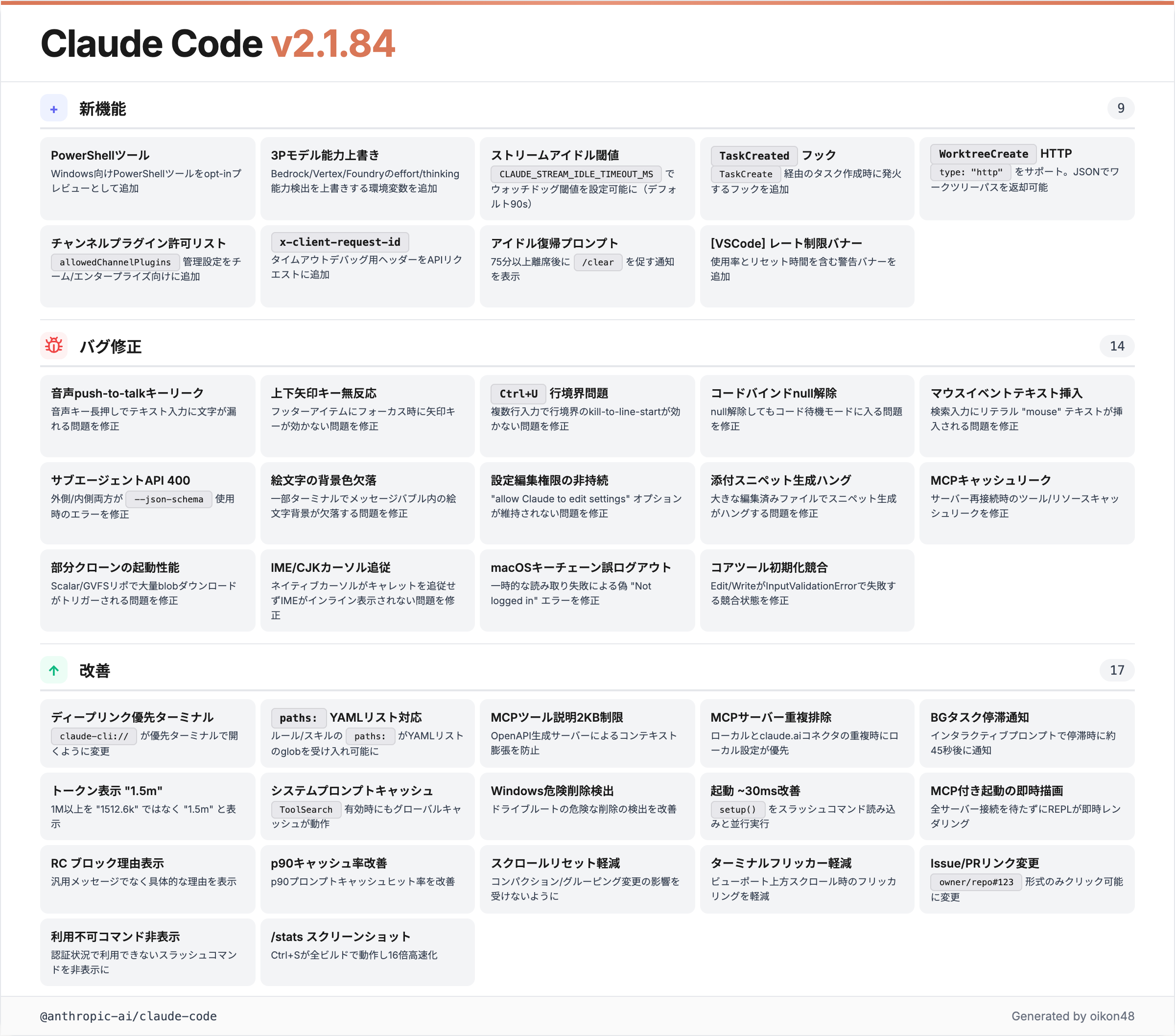
The highlight for CJK users. The IME input position fix landed in this version.
CJK Input Position Fix (Native Cursor Tracking)
Fixed native terminal cursor not tracking the text input caret, so IME composition (CJK input) now renders inline and screen readers can follow the input position
The native terminal cursor now properly tracks the text input caret. IME composition windows for CJK input now render inline at the correct cursor position.
Previously, the IME candidate window would appear at a completely wrong position in Claude Code, especially noticeable with longer prompts. This was a significant pain point for Japanese users. This fix makes the candidate UI follow the cursor correctly.

【日本ユーザーに朗報】 Claude Code で日本語の入力位置が改善されたよ > Fixed native terminal cursor not tracking the text input caret, so IME composition (CJK input) now renders inline and screen readers can follow the input position
PowerShell Tool (Windows Opt-in Preview)
Added PowerShell tool for Windows as an opt-in preview
A native PowerShell tool for Windows as an opt-in preview. Previously, Windows users ran commands through the Bash tool. Native PowerShell execution is now available.
TaskCreated Hook
Added
TaskCreatedhook that fires when a task is created viaTaskCreate
A new hook fires when tasks are created via TaskCreate. Hooks keep getting more extensive. You can use task creation to drive automation such as notifications to external systems or logging.
v2.1.85 (30 changes)
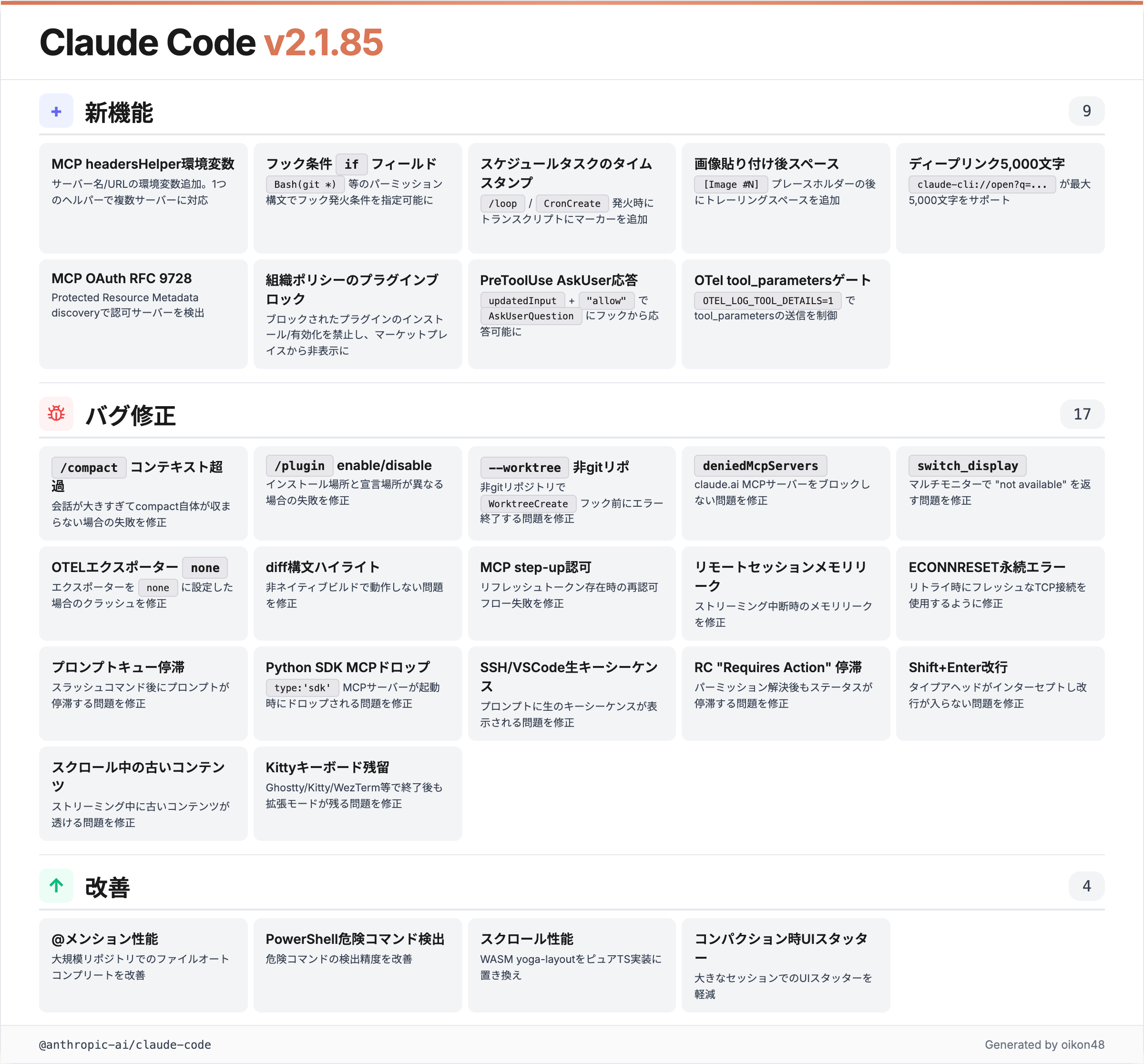
Hooks “if” Field
Added conditional
iffield for hooks using permission rule syntax (e.g.,Bash(git *)) to filter when they run, reducing process spawning overhead
Hooks now support a conditional if field using permission rule syntax. For example, Bash(git *) runs the hook only when a git command executes.
Previously, every tool call would spawn hook processes, which could add up if you use hooks heavily. Narrowing with the if field to the cases you care about is practical.
{
  "hooks": {
    "PreToolUse": [
      {
        "if": "Bash(git *)",
        "command": "echo 'git command detected'"
      }
    ]
  }
}MCP Server Environment Variables
Added
CLAUDE_CODE_MCP_SERVER_NAMEandCLAUDE_CODE_MCP_SERVER_URLenvironment variables to MCPheadersHelperscripts, allowing one helper to serve multiple servers
MCP headersHelper scripts now receive server name and URL as environment variables. One helper script can serve multiple MCP servers. Handy when you use several MCP servers.
v2.1.86 & v2.1.87 (27 changes)
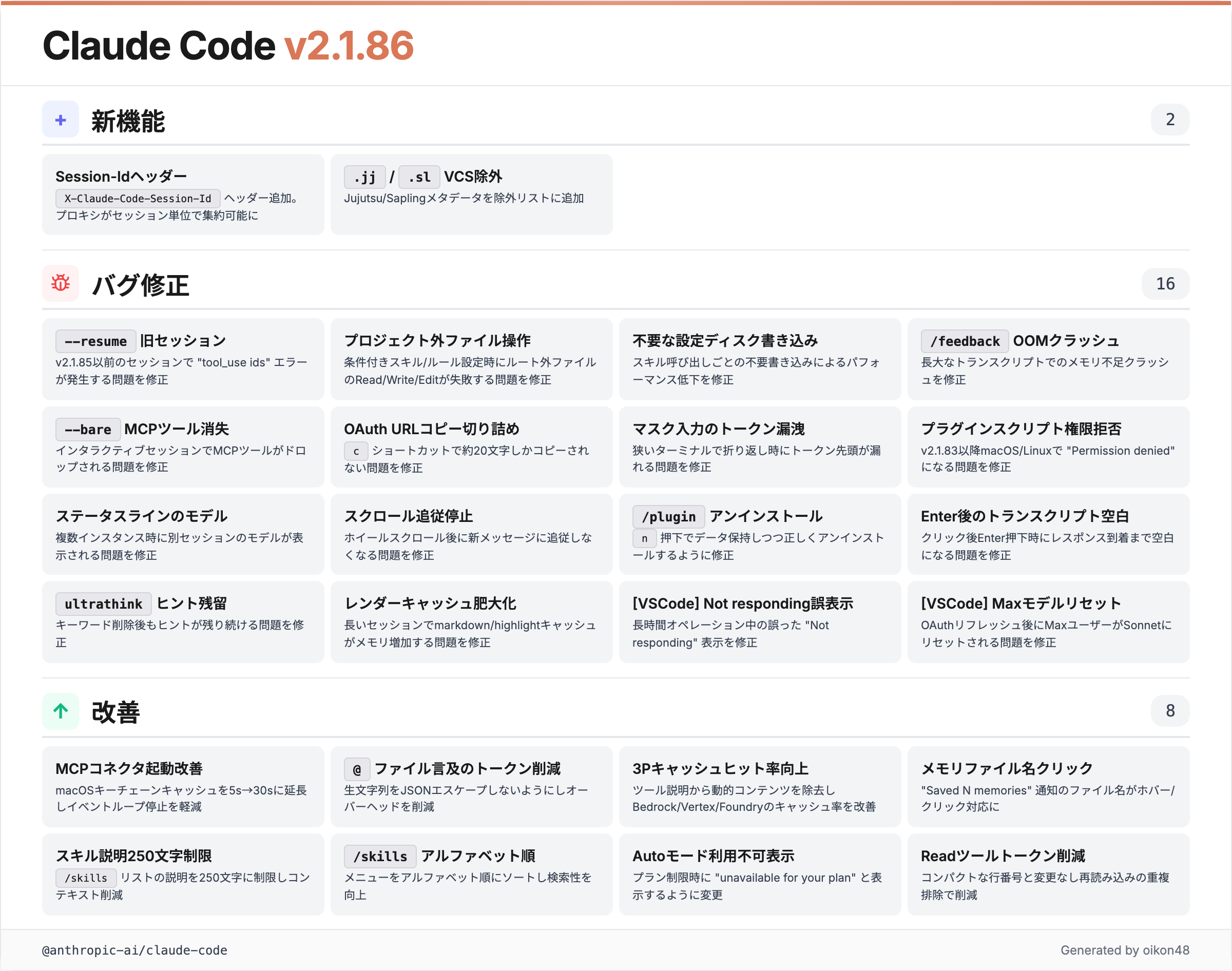
Jujutsu / Sapling VCS Support
Added
.jjand.slto VCS directory exclusion lists so Grep and file autocomplete don’t descend into Jujutsu or Sapling metadata
Grep and file autocomplete no longer descend into Jujutsu (.jj) or Sapling (.sl) metadata directories. They are added to the VCS exclusion list.
Other Claude Code Topics
Claude Cowork + Desktop Computer Use
Claude Cowork and Claude Code Desktop now support computer use. Mouse, keyboard, and screen operations allow direct control of desktop applications. Remote operation via Dispatch from a smartphone is also possible. Currently macOS only.
Similar concept to remote control, but the broader desktop operation support is interesting.
Claude Coworkと Claude Code Desktop でスコンピュータ操作がさらに可能に。 マウス、キーボード、スクリーンなどコンピュータ内のアプリ操作が可能となるとのこと。スマホからDispatchを利用して操作も可能。現在はMacOSのみ。

Today, we’re releasing a feature that allows Claude to control your computer: Mouse, keyboard, and screen, giving it the ability to use any app. I believe this is especially useful if used with Dispatch, which allows you to remotely control Claude on your computer while you’re
Claude Code on the Web Auto Fix
Claude Code on the Web gained an Auto fix feature that watches GitHub Pull Requests in the cloud and applies fixes based on review comments.
In testing, when a review comment asked for a CHANGELOG update on a PR, it updated CHANGELOG.md automatically. Pairs well with CodeRabbit or Codex automated reviews.
Claude Code on the Web に Auto fix 機能が追加。 GitHubのPull Requestをクラウド上で自動的に監視・修正する機能。実際に試してみると、PRでCHANGELOGへの追記が必要というレビューコメントがあった際に、自動でCHANGELOG.mdに修正を加えた。 CodeRabbitやCodexの自動レビューとも相性良さそう。


Thrilled to announce Claude Code auto-fix – in the cloud. Web/Mobile sessions can now automatically follow PRs - fixing CI failures and addressing comments so that your PR is always green. This happens remotely so you can fully walk away and come back to a ready-to-go PR.
/schedule Command
The /schedule command is now available in Claude Code. It uses cron in the cloud environment to run tasks on a schedule. You can configure it from the web browser.
Looks useful for automating periodic code reviews or report generation.
Claude Code で /schedule コマンドが利用可能に。 Claude Code の cloud環境でcronを使って、Claudeがタスクを定時実行する。Webブラウザから直接アクセスも可能 (というかWebの方が簡単そう) claude.ai/code/scheduled


Use /schedule to create recurring cloud-based jobs for Claude, directly from the terminal. We use these internally to automatically resolve CI failures, push doc updates, and generally power automations that you want to exists beyond a closed laptop
Closing
Thank you for reading!