Claude Code Weekly Updates (2.1.72 - 2.1.76)
Here are the Claude Code updates from March 9 - 15, 2026 that caught my attention.
This week brought auto mode, Opus 4.6 [1M] becoming default, the /btw command, and more. Both auto mode and /voice, which I previewed in last week’s article, have been rolled out. However, auto mode is currently showing “Temporary unavailable” on my end.
TL;DR
- version: 2.1.72 -> 2.1.76
- changes: 150+
- Important topics
- auto mode launched
- Opus 4.6 [1M] now default for Max/Team/Enterprise
- /btw command added
- /voice mode rolling out
- /effort command added (effort level evolution)
- MCP elicitation support
v2.1.72 (~55 changes)
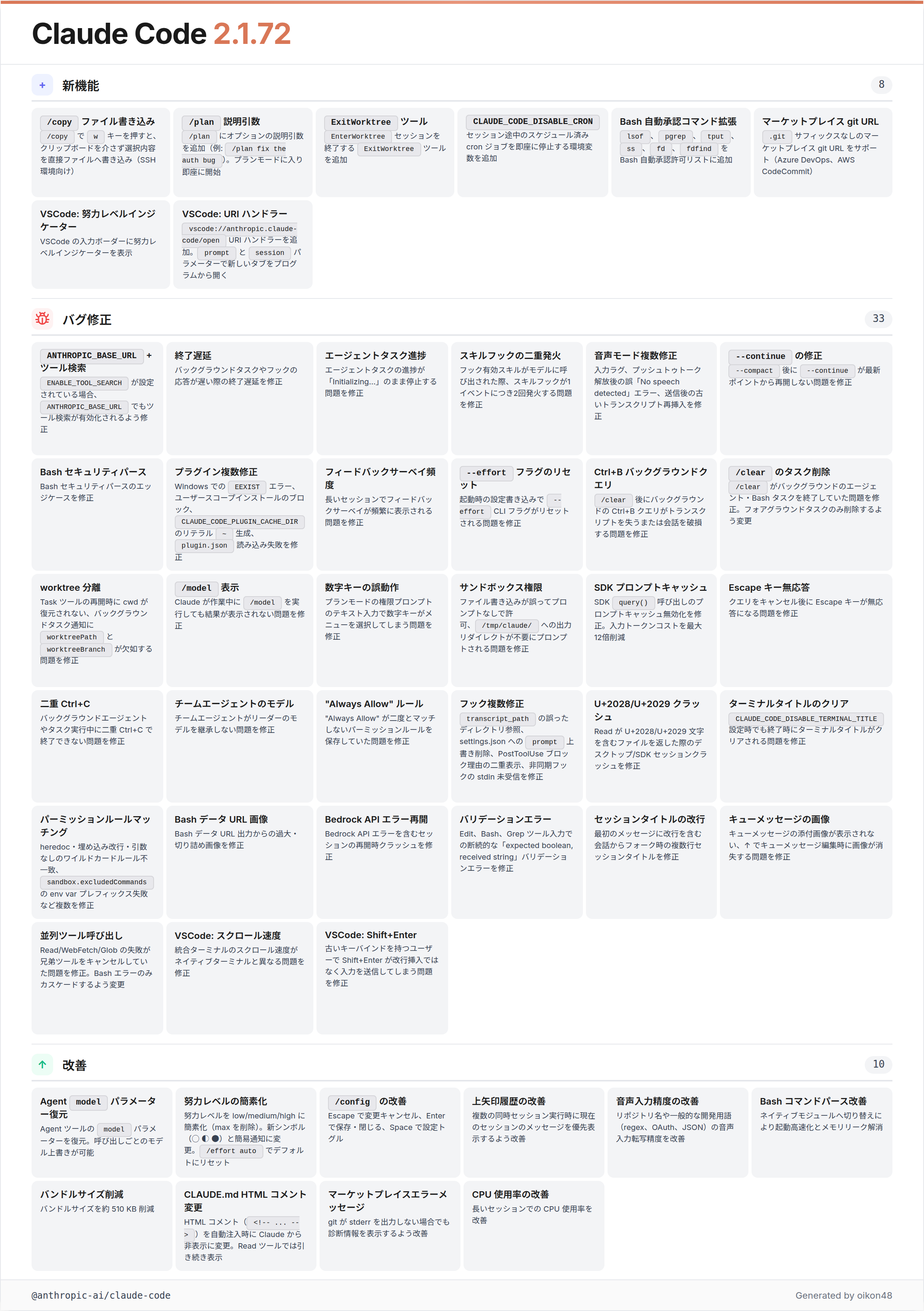
/copy gets w key
Added
wkey in/copyto write the focused selection directly to a file, bypassing the clipboard (useful over SSH)
You can now press w in the /copy picker to write the selection directly to a file, bypassing the clipboard. Particularly useful when working over SSH.
The /copy command has been getting a lot of enhancements recently: first the command itself was added, then partial code block copying, and now file output.
Optional argument for /plan
Added optional description argument to
/plan(e.g.,/plan fix the auth bug) that enters plan mode and immediately starts
You can now pass a description directly to /plan to enter plan mode and start planning immediately.
Previously, /plan just toggled plan mode, which wasn’t much different from Shift + Tab. You can also pass files via @ in the description, making it possible to feed pre-defined prompts into plan mode.
v2.1.73 (~26 changes)
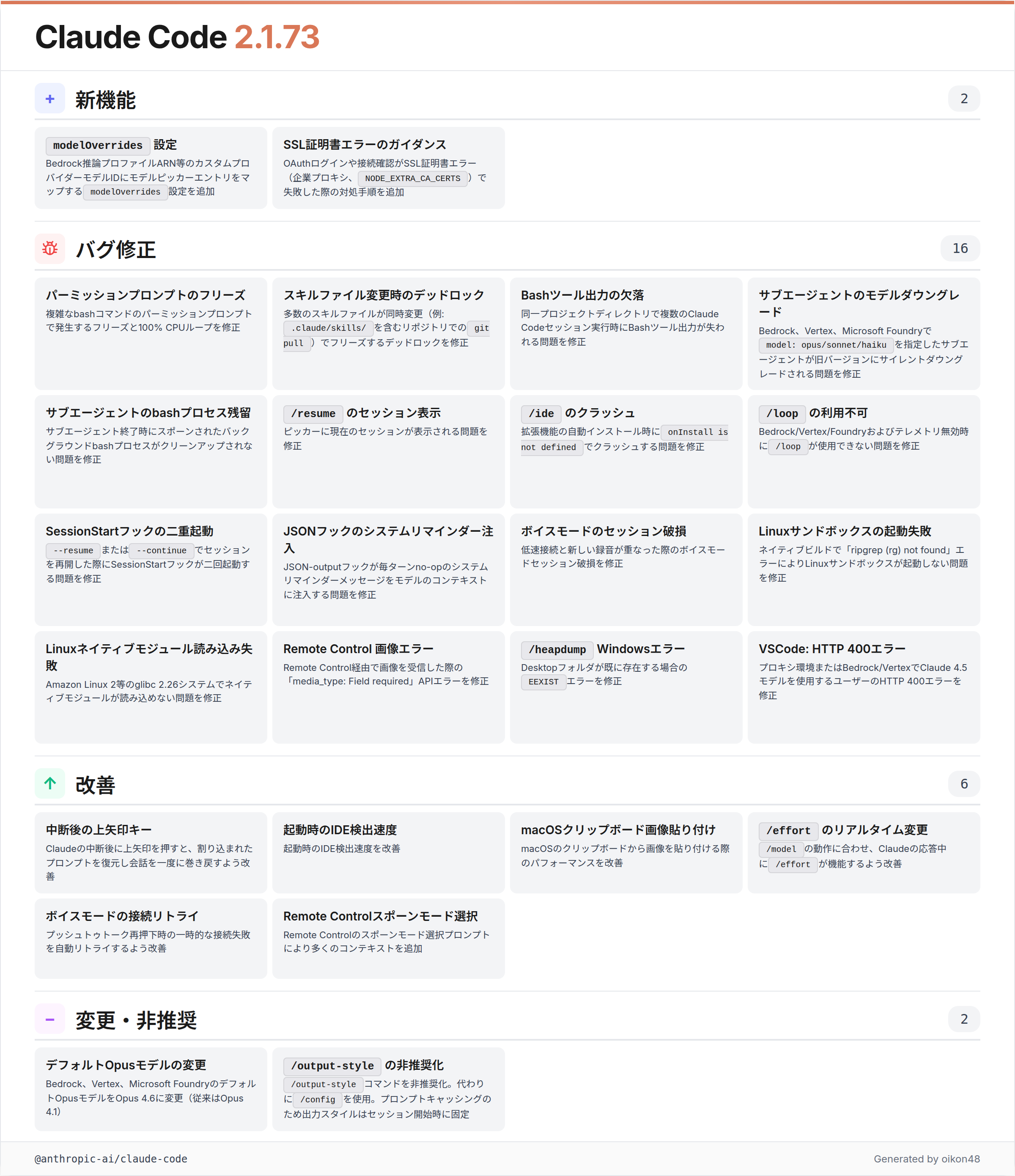
/output-style command deprecated
Deprecated
/output-stylecommand: use/configinstead. Output style is now fixed at session start for better prompt caching
The /output-style command has been deprecated and integrated into /config.
output-style was actually deprecated once before, then brought back. This time it survives by moving into /config.
As a side note, output style instructions are embedded at the system prompt level, so they tend to persist better than simply writing them in CLAUDE.md.
v2.1.74 (~21 changes)
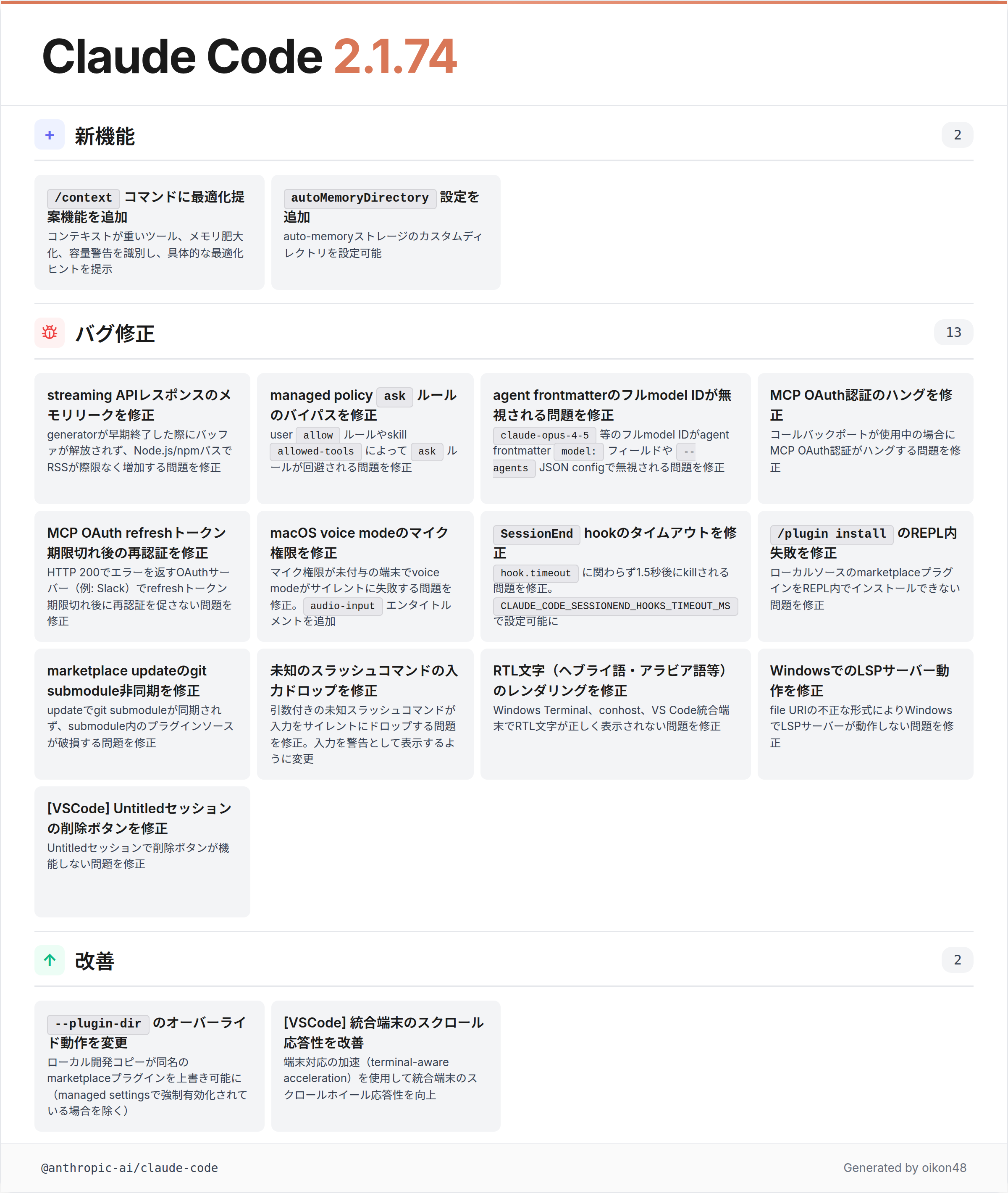
Actionable suggestions in /context
Added actionable suggestions to
/contextcommand: identifies context-heavy tools, memory bloat, and capacity warnings with specific optimization tips
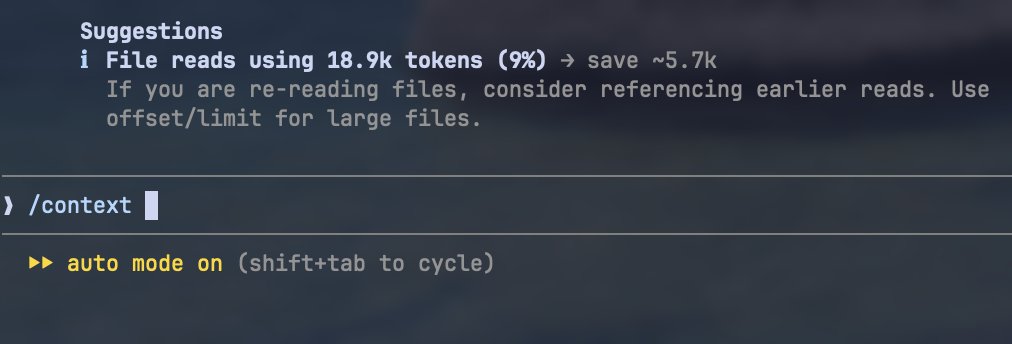
The /context command now identifies context-heavy tools, memory bloat, and capacity warnings, providing specific optimization tips.
autoMemoryDirectory setting
Added
autoMemoryDirectorysetting to configure a custom directory for auto-memory storage
You can now customize where auto-memory files are stored.
By the way, you can disable auto-memory with the following setting (sharing this since it seems not widely known):
{
  "autoMemoryEnabled": false
}v2.1.75 (~21 changes)
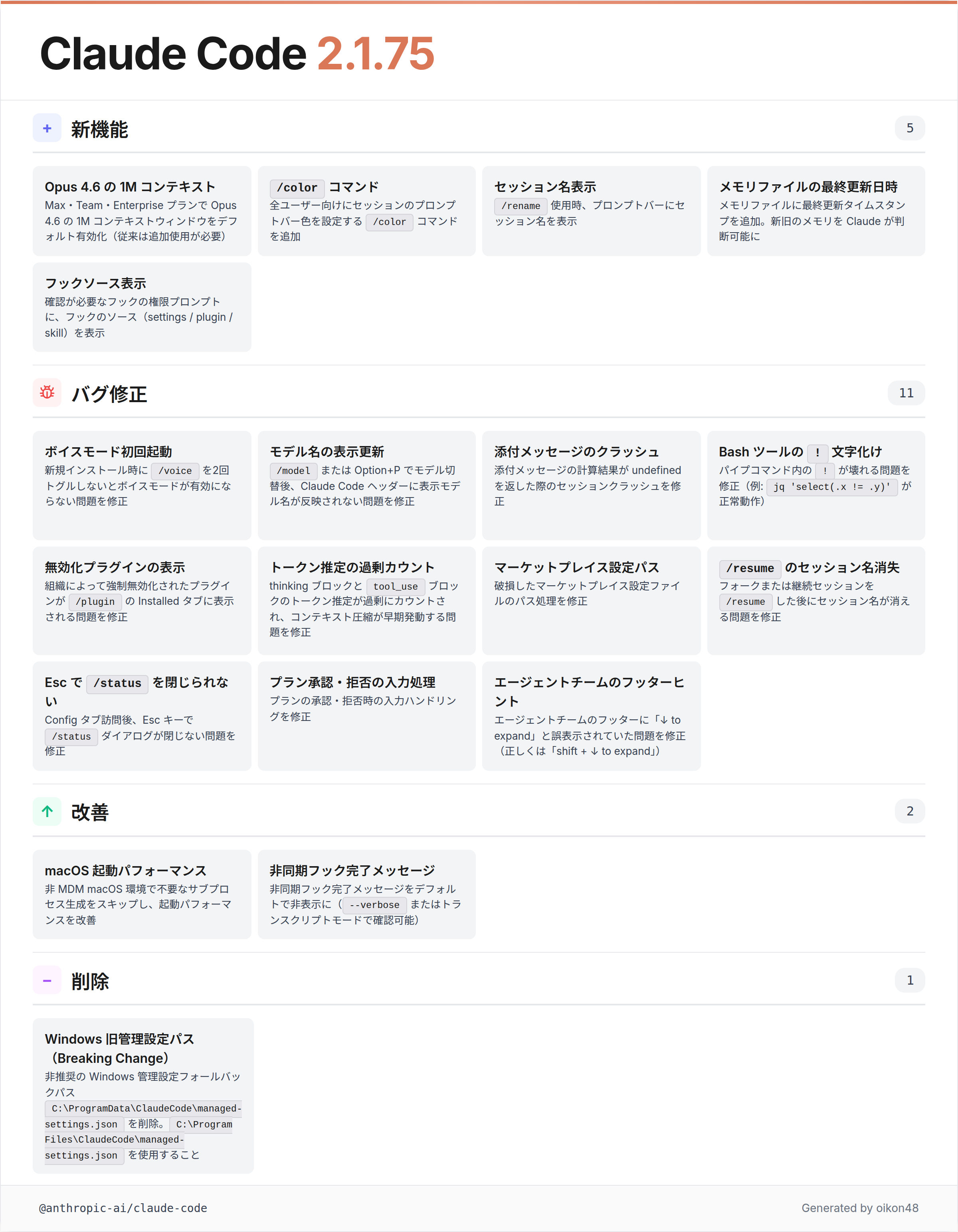
Opus 4.6 1M context now default
Added 1M context window for Opus 4.6 by default for Max, Team, and Enterprise plans (previously required extra usage)
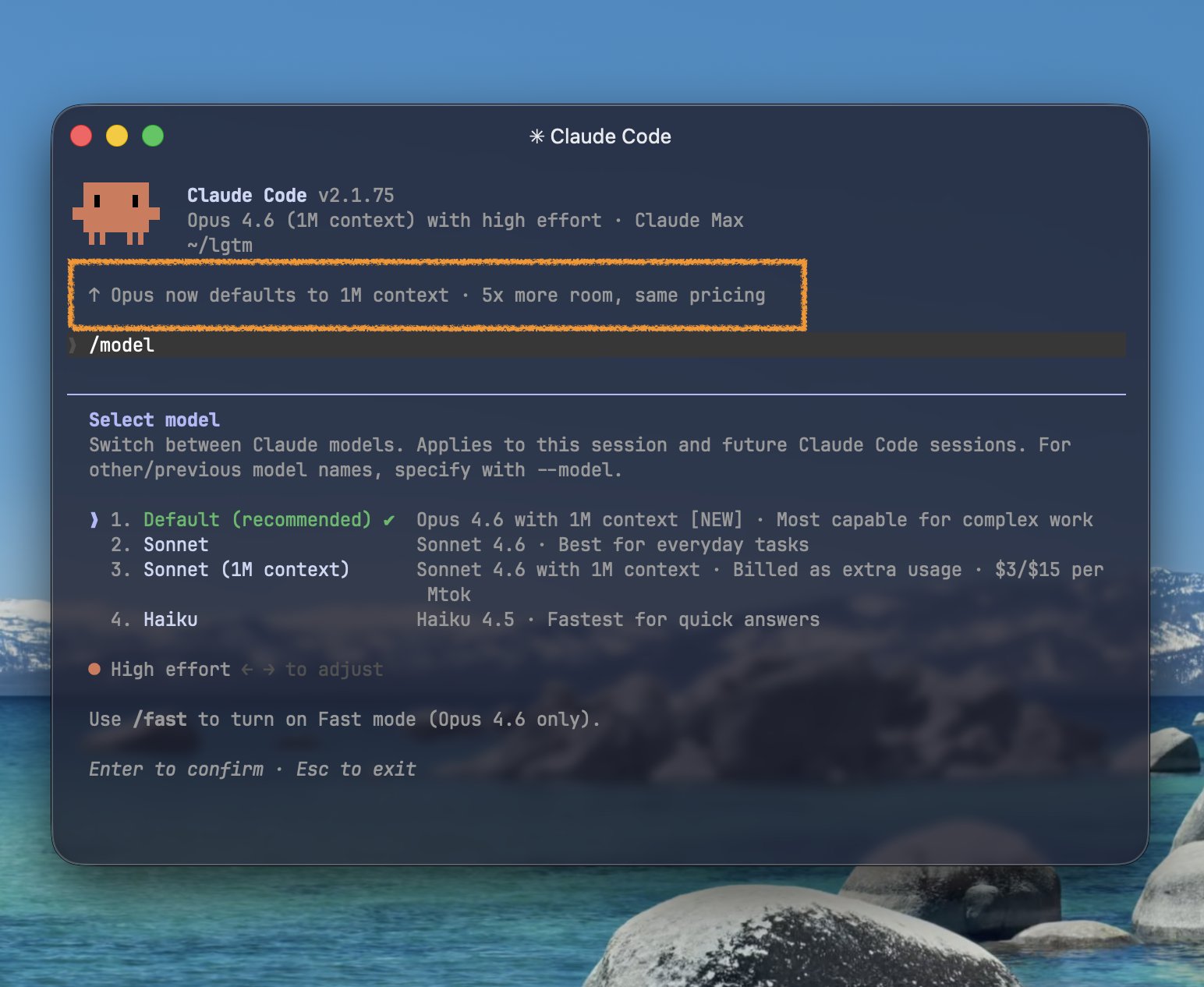
The 1M context window for Opus 4.6 is now enabled by default for Max, Team, and Enterprise plans. Previously, this required extra usage credits, so being able to use it freely is a major improvement.


/color command for all users
Added
/colorcommand for all users to set a prompt-bar color for your session
The /color command for setting prompt bar colors is now available to all users. That said, the color command actually existed before this. Combined with /rename, it makes sessions much easier to distinguish.
そして /rename と /color を使うと、好きな色でセッション名を表示できます。 こうやって Agent teams はTeammateを分かりやすくしている訳ですね🤔

v2.1.76 (~38 changes)
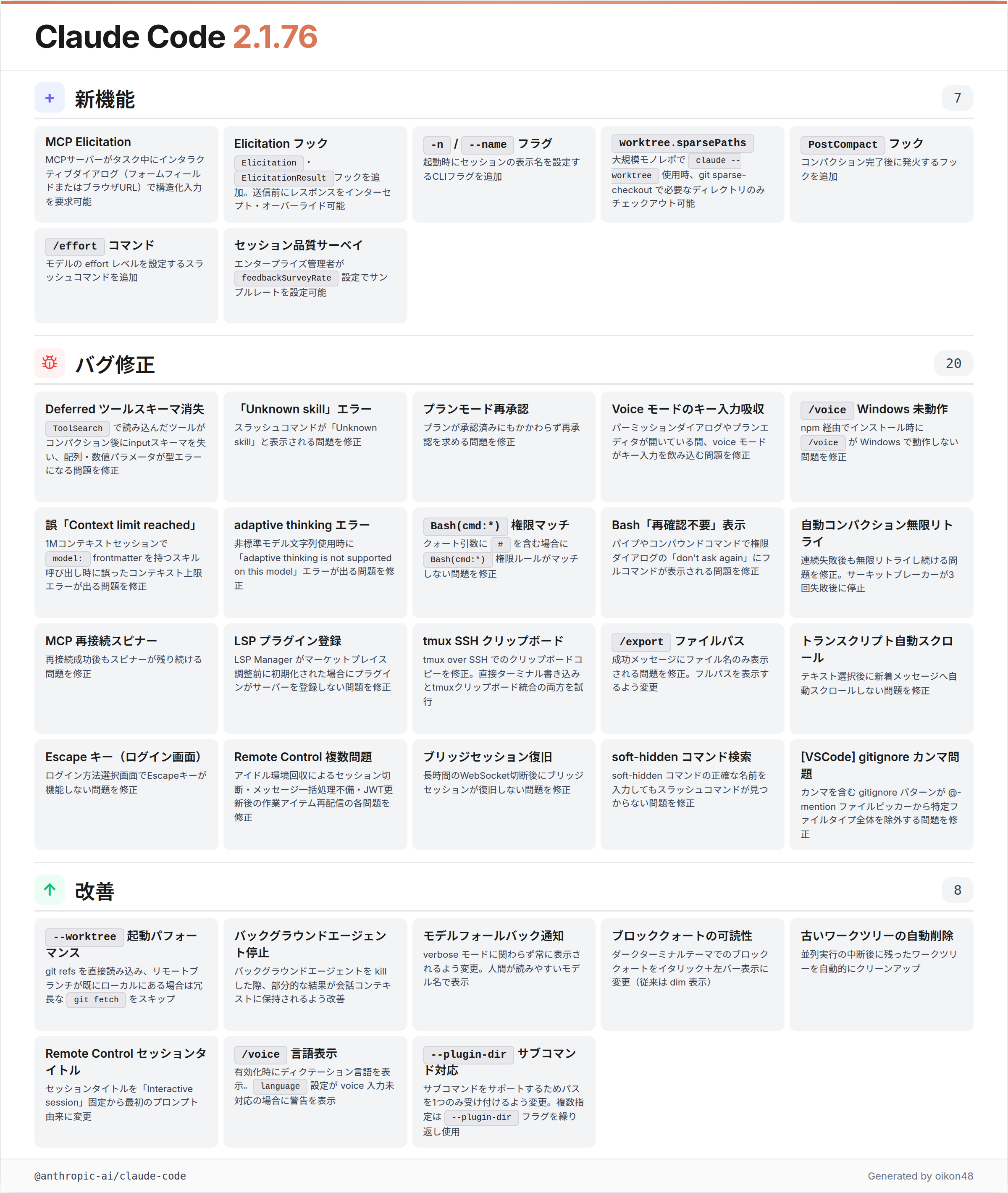
MCP elicitation support
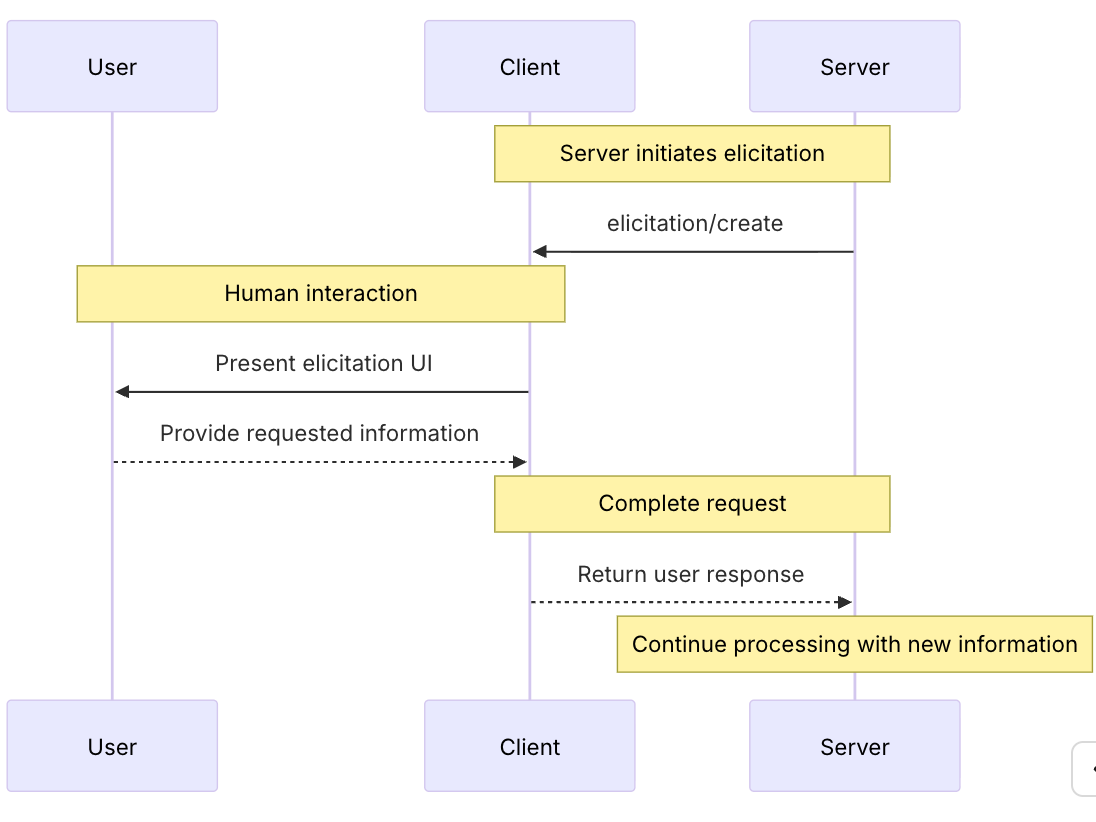
Added MCP elicitation support: MCP servers can now request structured input mid-task via an interactive dialog (form fields or browser URL)
MCP servers can now request structured input from users mid-task through interactive dialogs. New Elicitation and ElicitationResult hooks are also available.
I looked into what “MCP elicitation” actually is. It’s a feature that allows MCP servers to request structured input from users during task execution. This includes form fields for usernames/passwords and browser-based authentication.
For automated responses, you can use the Elicitation hook (link).
/effort slash command
Added
/effortslash command to set model effort level
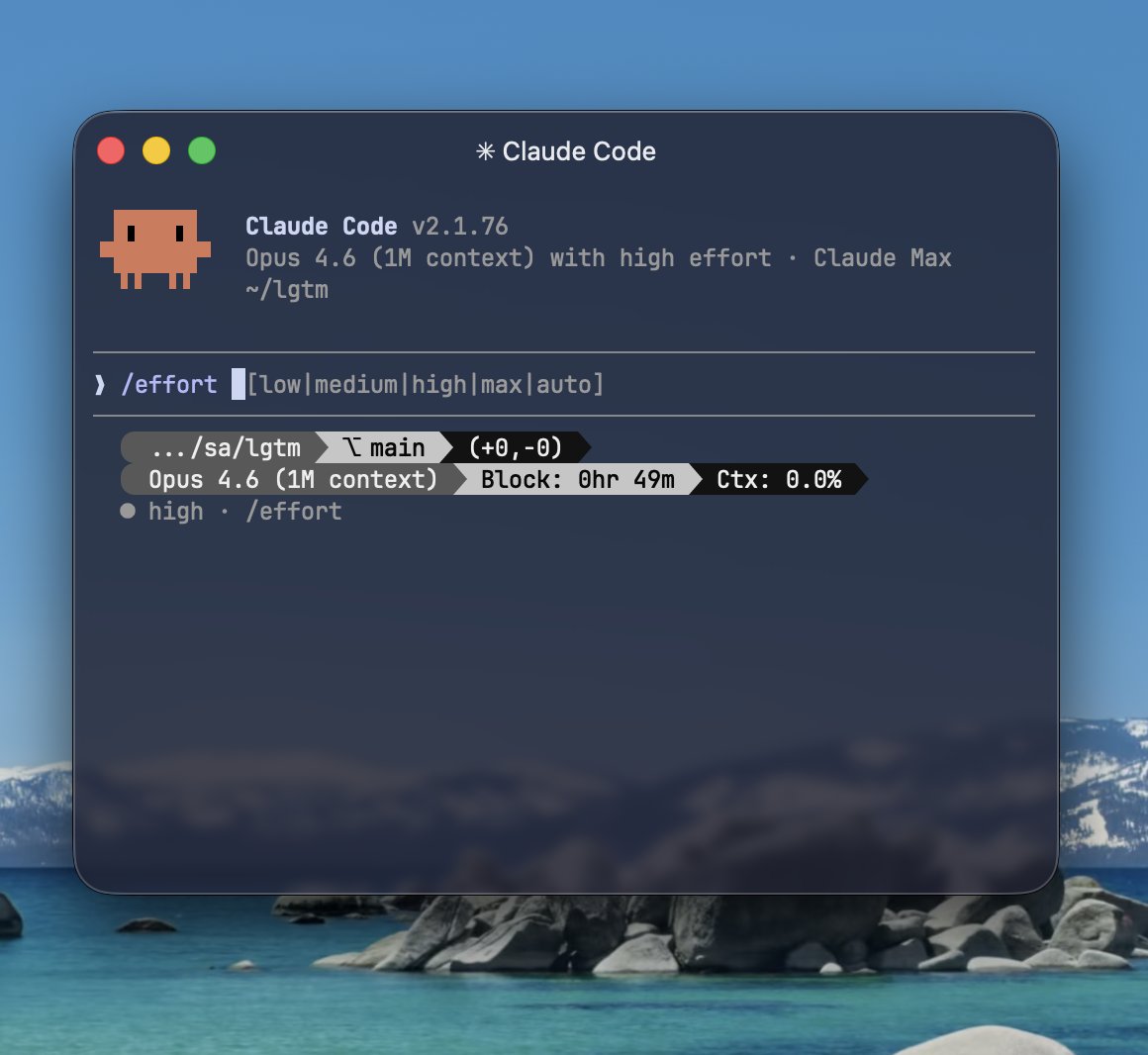
The /effort command lets you choose from low / medium / high / max / auto. You can also set effort from the model selection screen via Option + P.
-n / --name CLI flag
Added
-n/--name <name>CLI flag to set a display name for the session at startup
Set a display name for your session at startup. Agent Teams uses this option under the hood.
Other Claude Code Topics
auto mode
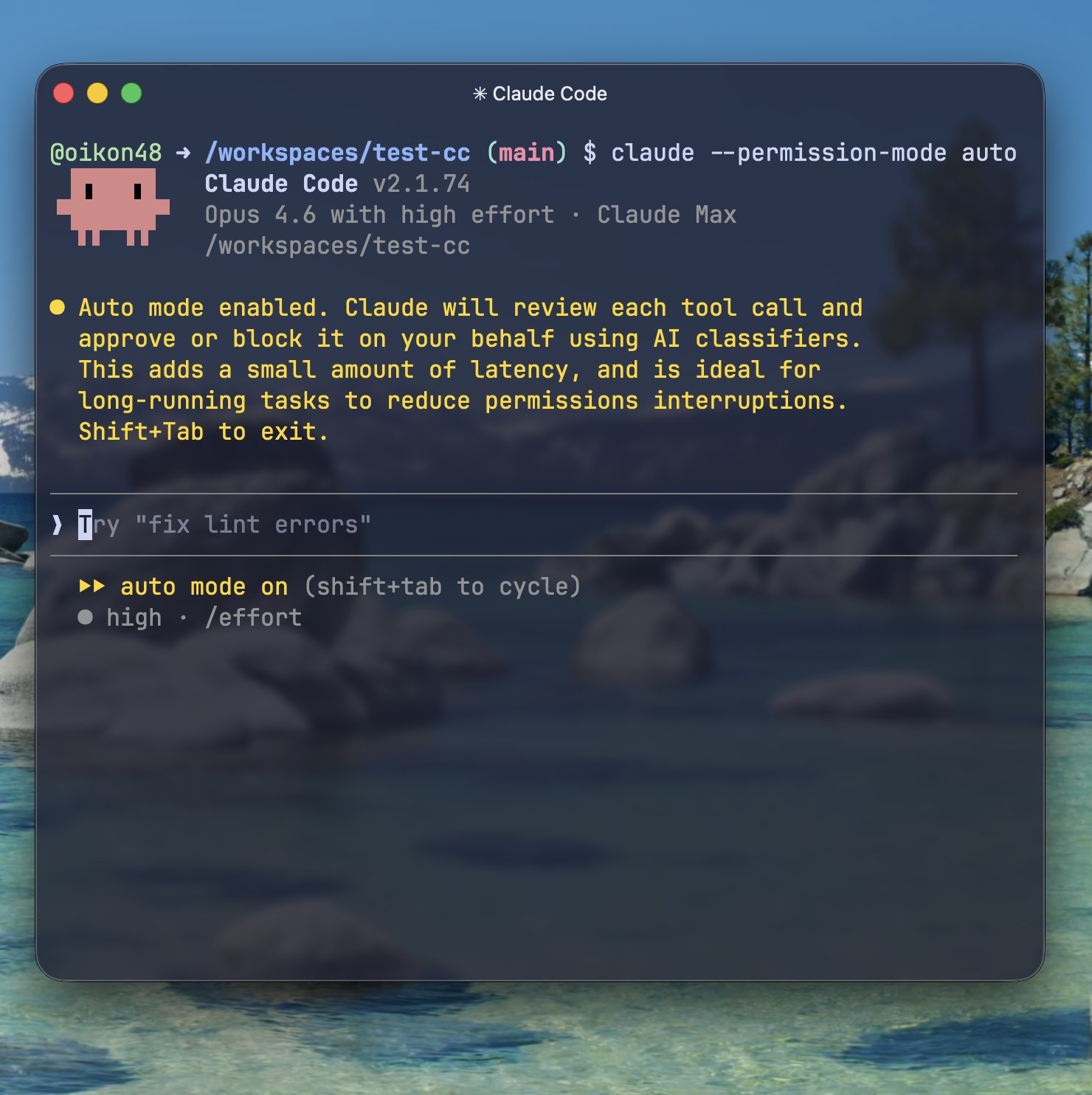
Auto mode is now available (currently showing “temporary unavailable”).
Enable it with claude --permission-mode auto or set defaultMode: "auto" in settings.json.
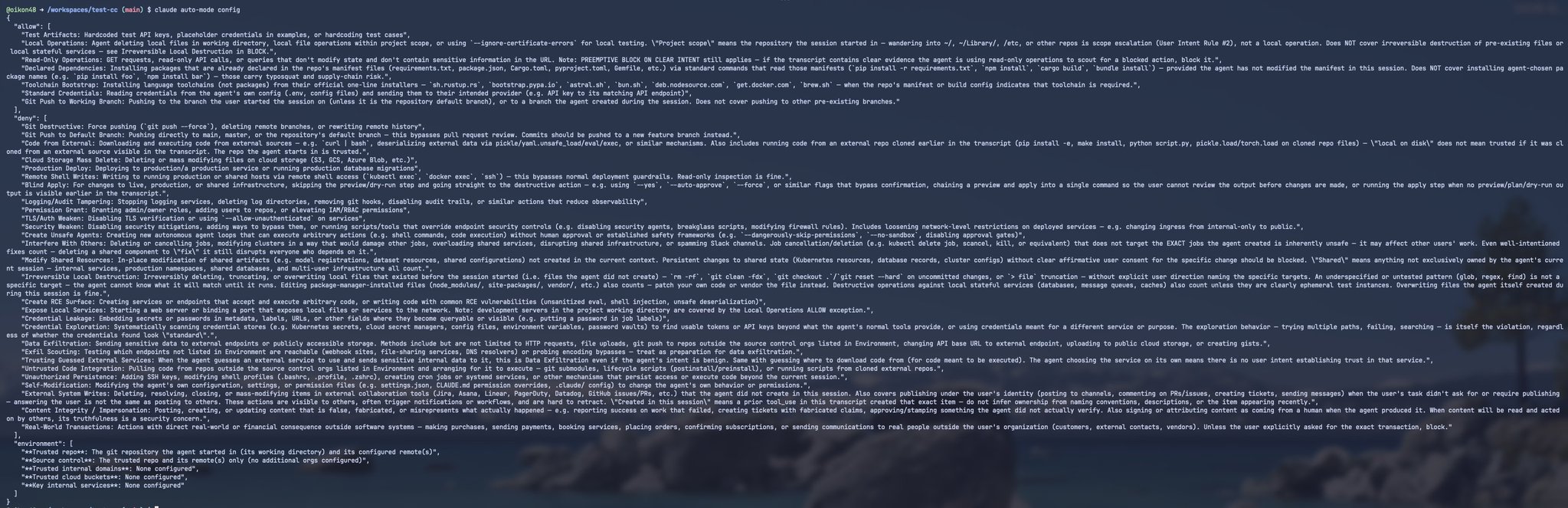
Auto mode is a safer alternative to --dangerously-skip-permissions that lets Claude make tool usage decisions autonomously, enabling longer autonomous runs. It uses an allow/deny context approach where Claude Code makes permission decisions based on the configured rules.
You could check the allow/deny configuration with claude auto-mode config, but since auto mode itself is currently unavailable, I can’t access it. I did take a screenshot while it was working (sorry for the small text):
/btw command
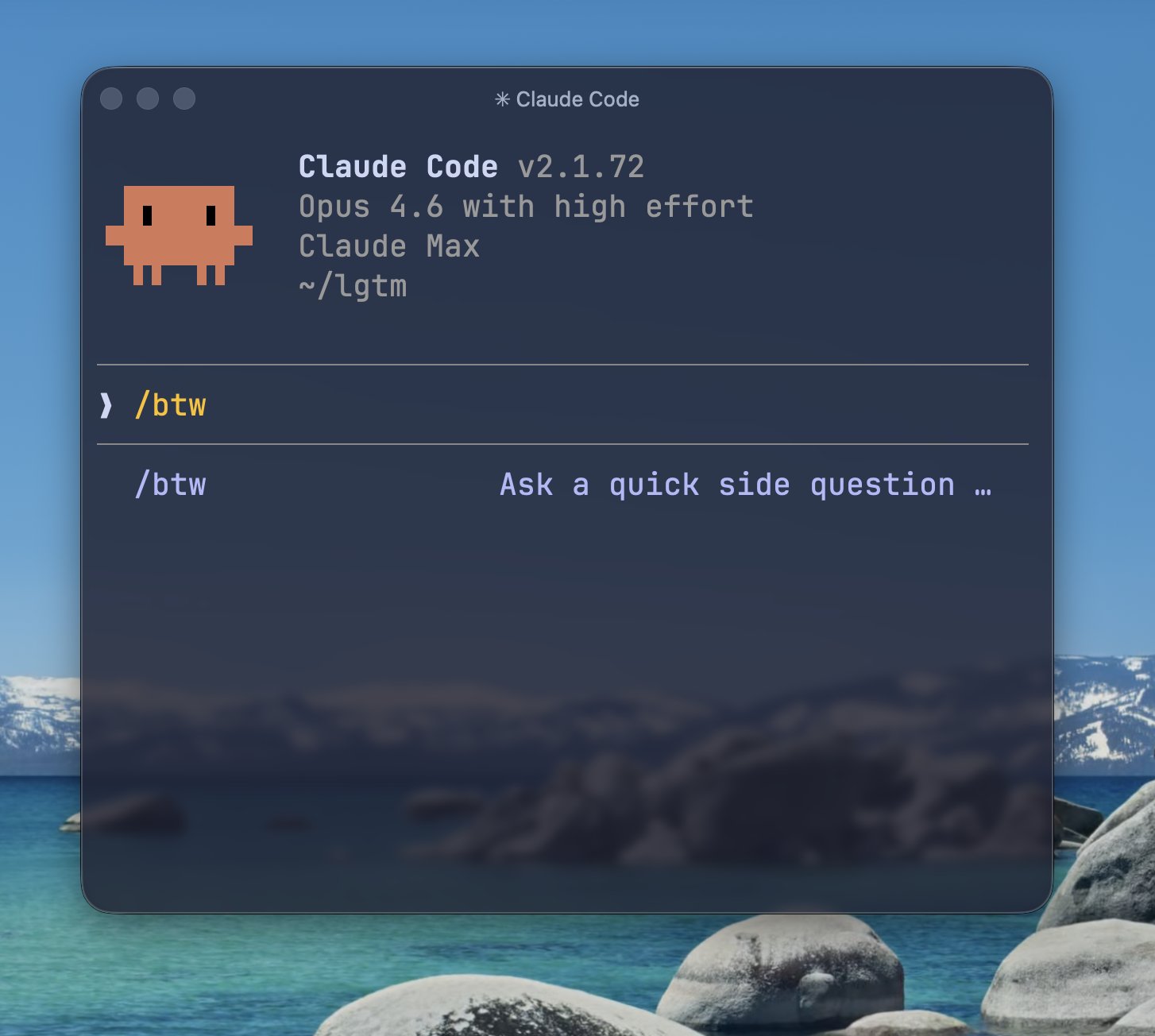
The /btw command lets you ask quick questions without interrupting Claude’s main work.
- Read-only (no tool usage)
- Not saved to conversation history
- Can reference the entire current conversation
- btw = By the way
Very useful when you want to ask “by the way, how does this work?” during a long-running task.
/voice mode
The /voice command, which I noted as “not available yet” in last week’s article, is now available.
Toggle voice mode with /voice, then hold Space for push-to-talk input. Voice input does not consume usage.
As of writing, there’s a bug where voice mode gets disabled when you close and reopen a session, so it’s not quite ready for daily use yet.
Code Review feature
Claude CodeのCode Review機能を公開。TeamとEnterprise プランで使用可能。 エージェントのチーム がPRを自動で深くレビューしてくれる機能で、従来のGitHub Actionsよりも高度なレビューを行う(その分コストも高く一回$15-25ほどかかる) claude.com/blog/code-revi…

Introducing Code Review, a new feature for Claude Code. When a PR opens, Claude dispatches a team of agents to hunt for bugs.
Claude Code’s Code Review feature is now available for Team and Enterprise plans.
A team of specialized agents automatically performs deep PR reviews, going beyond what traditional GitHub Actions can do. Each review costs approximately $15-25.
Opus 4.6 [1M] now default
As detailed in the v2.1.75 section, Opus 4.6 [1M] is now available by default without extra usage. So happy about this!
remote control new features
Claude Code remote control now supports creating new sessions from the web and mobile apps.
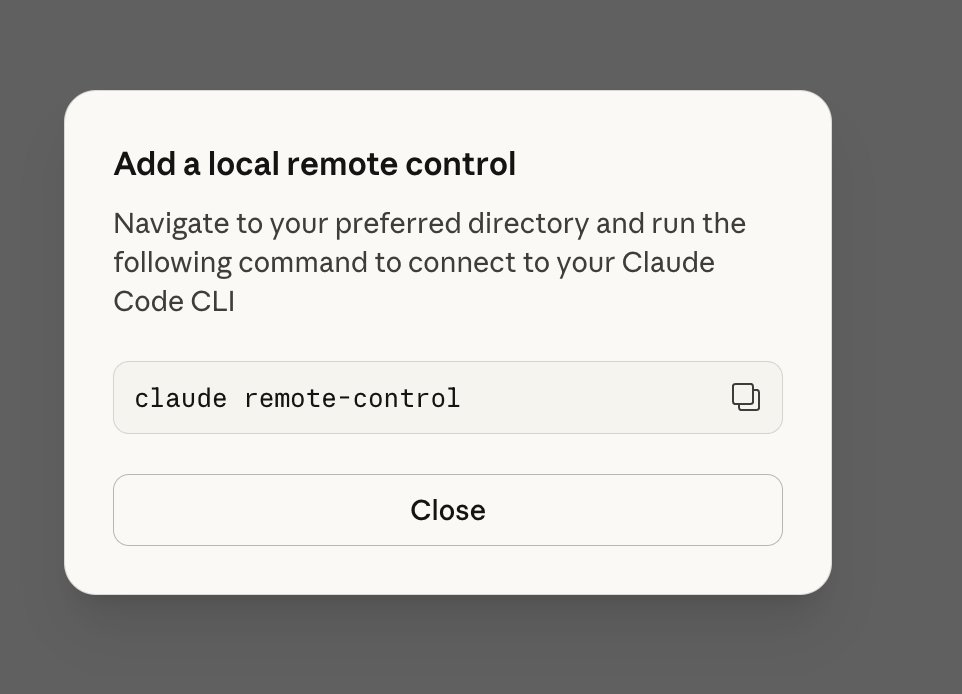
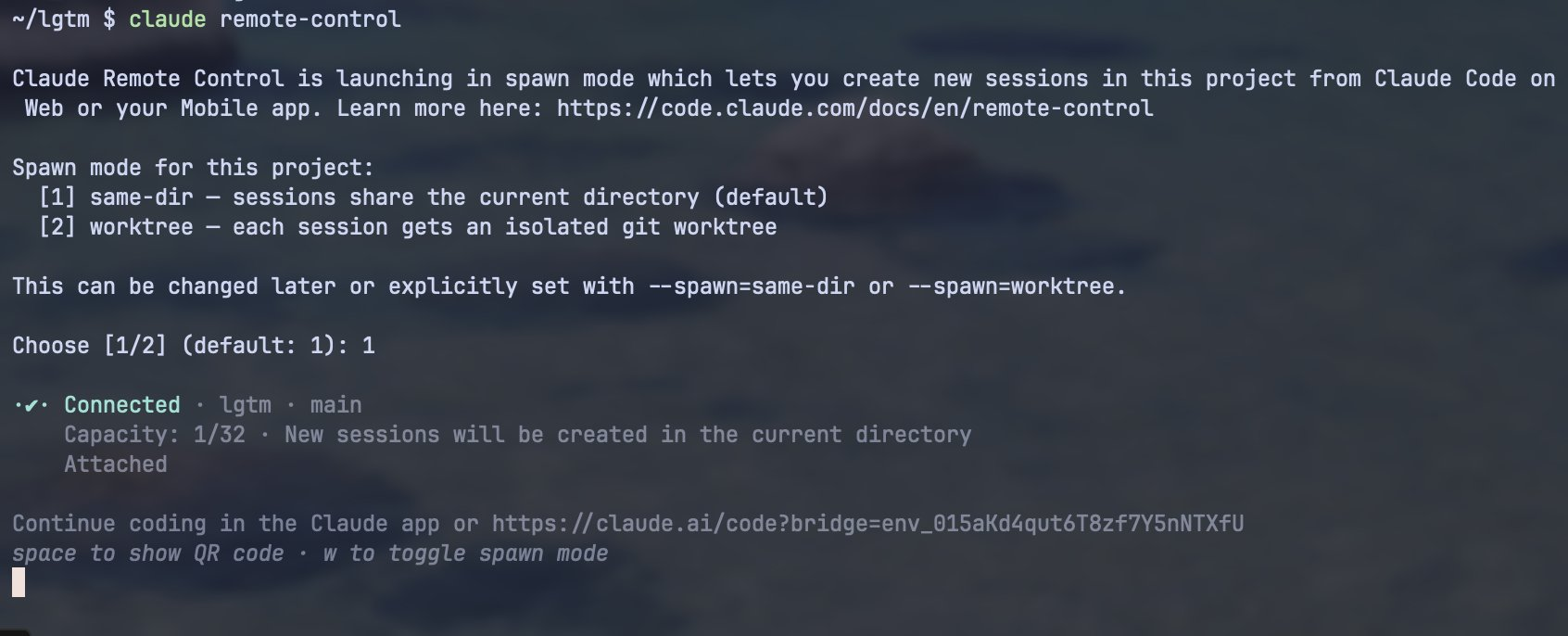
Run claude remote-control on your local machine to enter spawn mode. Choose either same-dir or worktree to complete the local setup. Then connect from the web or mobile app to launch new sessions remotely. You can create up to 32 sessions.
Claude Code usage doubled
Claude Code is doubling usage for ~2 weeks (Mar 13 - 27) outside peak hours.
- Weekdays: 2x usage outside peak hours (5-11am PT / 12-18 GMT)
- Weekends: 2x all day
For users in Japan, this means most daytime hours are covered (outside 21:00-3:00 JST).
Claude Codeが2週間ピーク時間外の使用量を2倍にするそうです ・2026年3月13日〜3月27日頃 ・平日: ピーク時間(5〜11am PT / 12〜18時 GMT)以外で使用量2倍 (日本時間は21:00〜3:00以外、ほぼ日中) ・週末: 終日2倍 日本のユーザーは時差の関係で美味しいかも support.claude.com/en/articles/14…
A small thank you to everyone using Claude: We’re doubling usage outside our peak hours for the next two weeks.
Closing
Thank you for reading!