Claude Code Weekly Updates (2.1.43 - 2.1.50)
Here are the Claude Code updates from February 16-22, 2026 that I’m interested in.
TL;DR
- version: 2.1.43 -> 2.1.50
- changes: 142
- Undocumented in release notes
- Context usage percentage shown during Plan approval
- Key topics
- Claude Sonnet 4.6
- Full git worktree support (
--worktreeflag, subagent isolation, hooks)
v2.1.43 & v2.1.44 (5 changes)
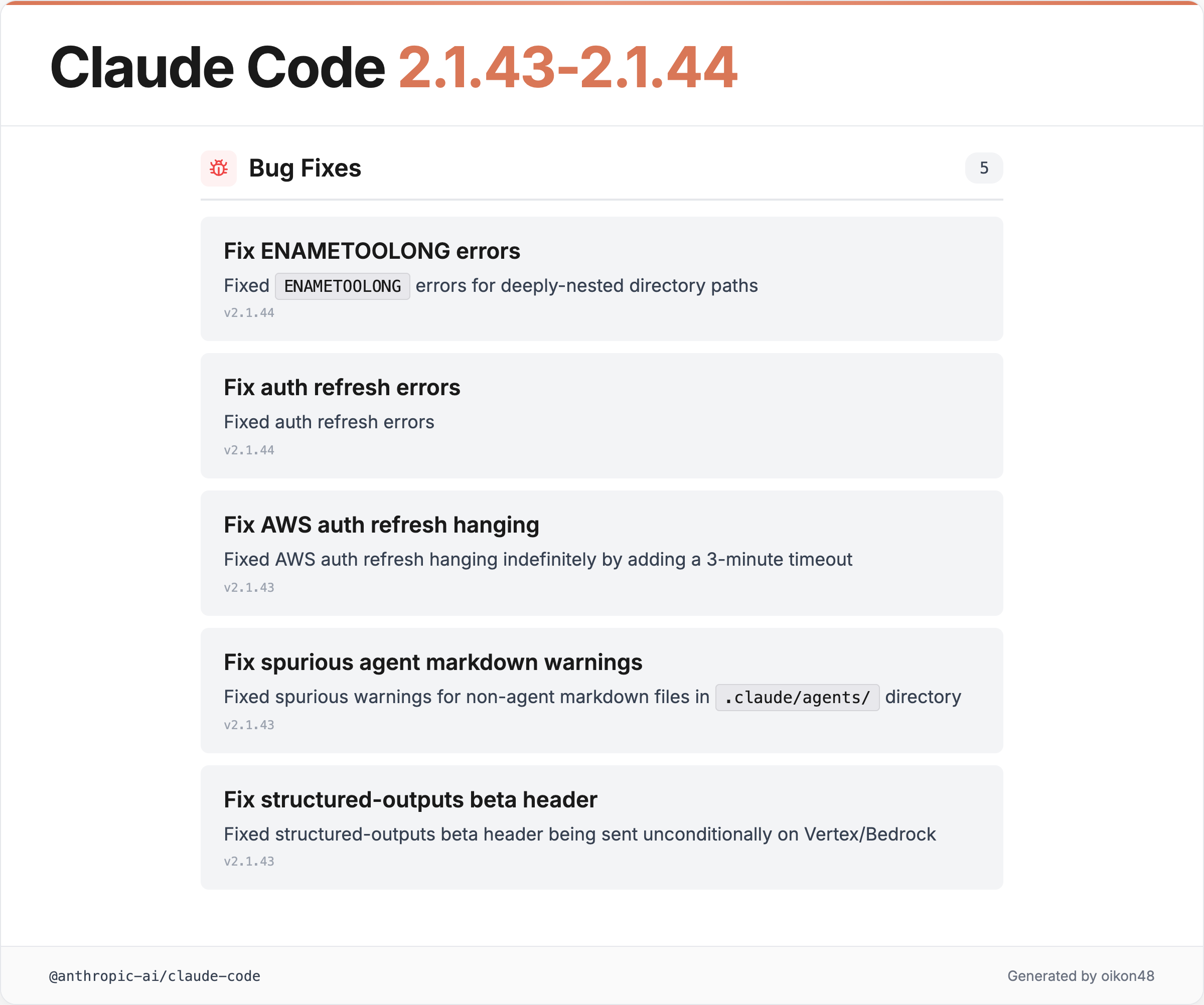
v2.1.43 and v2.1.44 were mostly minor fixes. Nothing particularly noteworthy here.
v2.1.45 & v2.1.46 (17 changes)
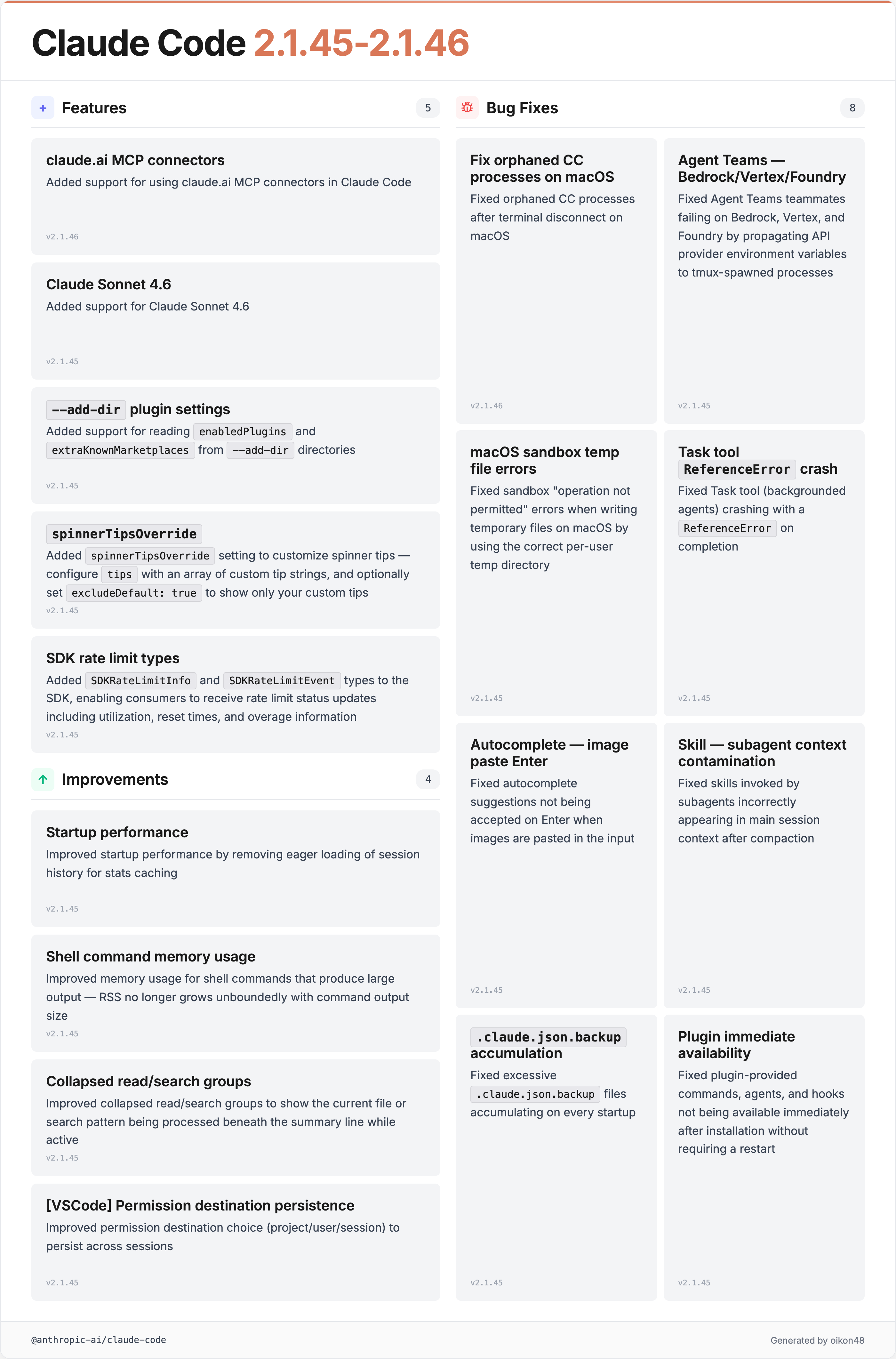
Claude Sonnet 4.6 Support
Added support for Claude Sonnet 4.6
Claude Sonnet 4.6 has been added, bringing across-the-board upgrades in:
- Coding
- Computer use
- Long-context reasoning
- Agentic planning
- Knowledge work
- Design
Some early-access developers have rated it as outperforming Opus 4.5. Personally, I find it well-suited for documentation tasks and tool interactions. I’ve been using Sonnet 4.6 extensively with Claude Cowork lately.
Customizable Spinner Tips
Added
spinnerTipsOverridesetting to customize spinner tips. Configuretipswith an array of custom tip strings, and optionally setexcludeDefault: trueto show only your custom tips instead of the built-in ones
You can now customize the tips shown in the spinner via the spinnerTipsOverride setting. Set your own array of tips, and optionally use excludeDefault: true to hide the defaults.
{
  "spinnarTipsOverride": {
    "excludeDefault": "true", // "false" default
    "tips": [
      "claude code charcter's name is Clawd",
      "Tasks was general-purpose subagent"
    ]
  }
}
As a side note, you can also customize spinnerVerbs since v2.1.23:
{
  "spinnerVerbs": {
    "mode": "replace", // or "append"
    "verbs": [
      "alpha",
      "bravo",
      "charlie",
      "delta",
    ]
  }
}
v2.1.47 (68 changes)
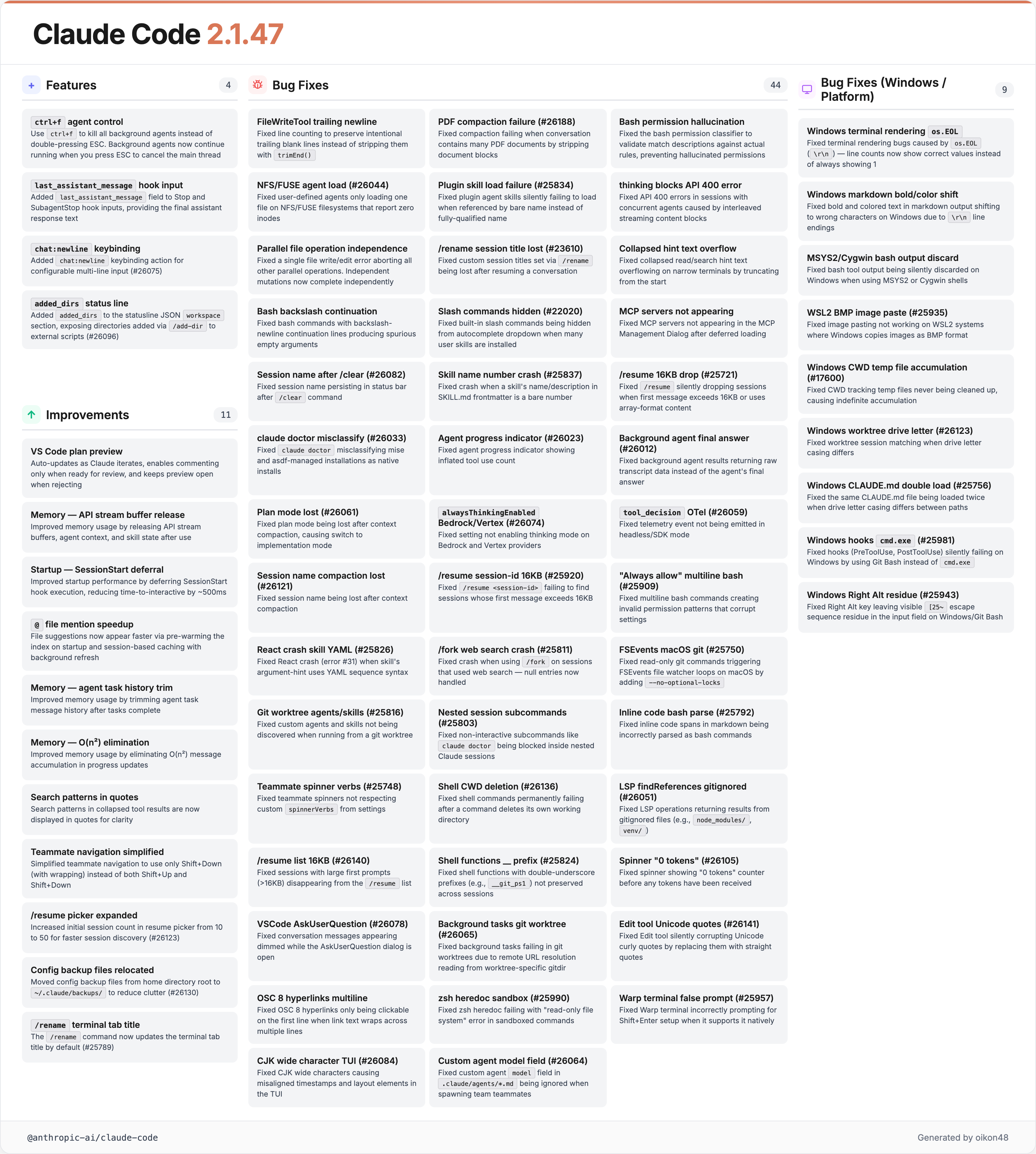
last_assistant_message Added to Stop/SubagentStop Hooks
Added
last_assistant_messagefield to Stop and SubagentStop hook inputs, providing the final assistant response text so hooks can access it without parsing transcript files.
The last_assistant_message field has been added to Stop and SubagentStop hooks. This lets hooks access the final response text directly, eliminating the need to parse transcript files.
Significant Memory Usage Improvements
Improved memory usage in long-running sessions by releasing API stream buffers, agent context, and skill state after use Improved memory usage by trimming agent task message history after tasks complete Improved memory usage during long agent sessions by eliminating O(n²) message accumulation in progress updates
Memory usage in long-running sessions has been improved from multiple angles. There have been frequent reports of Claude Code feeling sluggish recently, so this likely addresses those concerns.
Improvements include releasing API stream buffers, freeing agent context, and eliminating O(n²) message accumulation in progress updates.
Ctrl+F to Kill Background Agents
Use
ctrl+fto kill all background agents instead of double-pressing ESC. Background agents now continue running when you press ESC to cancel the main thread, giving you more control over agent lifecycle.
Killing background agents has been moved to Ctrl+F. ESC now only cancels the main thread, allowing background agents to keep running.
Bulk Windows Fixes
This release includes a large number of Windows-related fixes:
- Terminal rendering bugs (
\r\nline count display issues) - Bash tool output being discarded on MSYS2/Cygwin
- CWD tracking temp files accumulating indefinitely
- Image paste support on WSL2 (BMP format)
- Layout issues caused by CJK full-width characters
- Right Alt key escape sequence residue
v2.1.49 (27 changes)
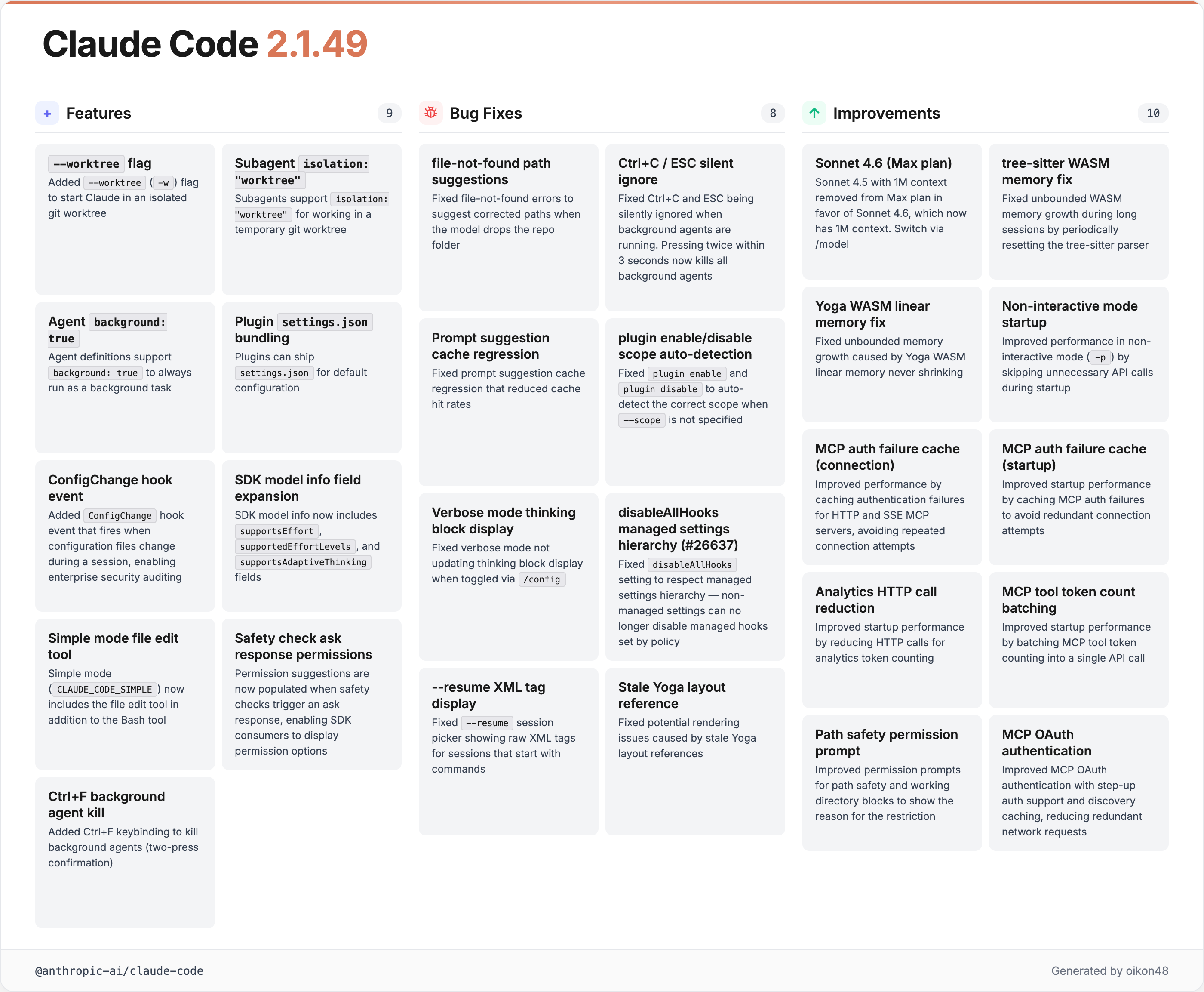
--worktree Flag
Added
--worktree(-w) flag to start Claude in an isolated git worktree
The --worktree (-w) flag lets you launch Claude Code in an isolated git worktree, so you can make experimental changes without touching your main working tree.
Two new startup flags were added in v2.1.49:
- -w, —worktree [name]: Create a new git worktree for this session (optionally specify a name)
- —tmux: Create a tmux session for the worktree (requires —worktree). Uses iTerm2 native panes when available; use —tmux=classic for traditional tmux.
The —worktree flag generates a worktree directory under ./.claude/worktree. If you don’t specify a [name], a random human-readable name is assigned.
The —tmux flag can only be used alongside —worktree and launches a tmux session.
Subagent Worktree Isolation
Subagents support
isolation: "worktree"for working in a temporary git worktree
Setting isolation: "worktree" on subagents lets them work in a temporary git worktree. This means Agent Teams teammates can work in parallel without stepping on each other’s changes.
---
name: safe-researcher
description: Research agent with restricted capabilities
tools: Read, Grep, Glob, Bash
isolation: worktree
---
ConfigChange Hook Event
Added
ConfigChangehook event that fires when configuration files change during a session, enabling enterprise security auditing and optional blocking of settings changes.
A new hook event fires when config files change during a session. This enables enterprise security auditing and the ability to block settings changes.
Sonnet 4.5 [1M] Gradual Transition
Sonnet 4.5 with 1M context is being removed from the Max plan in favor of our frontier Sonnet 4.6 model, which now has 1M context. Please switch in /model.
Sonnet 4.5 [1M] on the Max plan is being replaced by Sonnet 4.6 [1M].
v2.1.50 (25 changes)
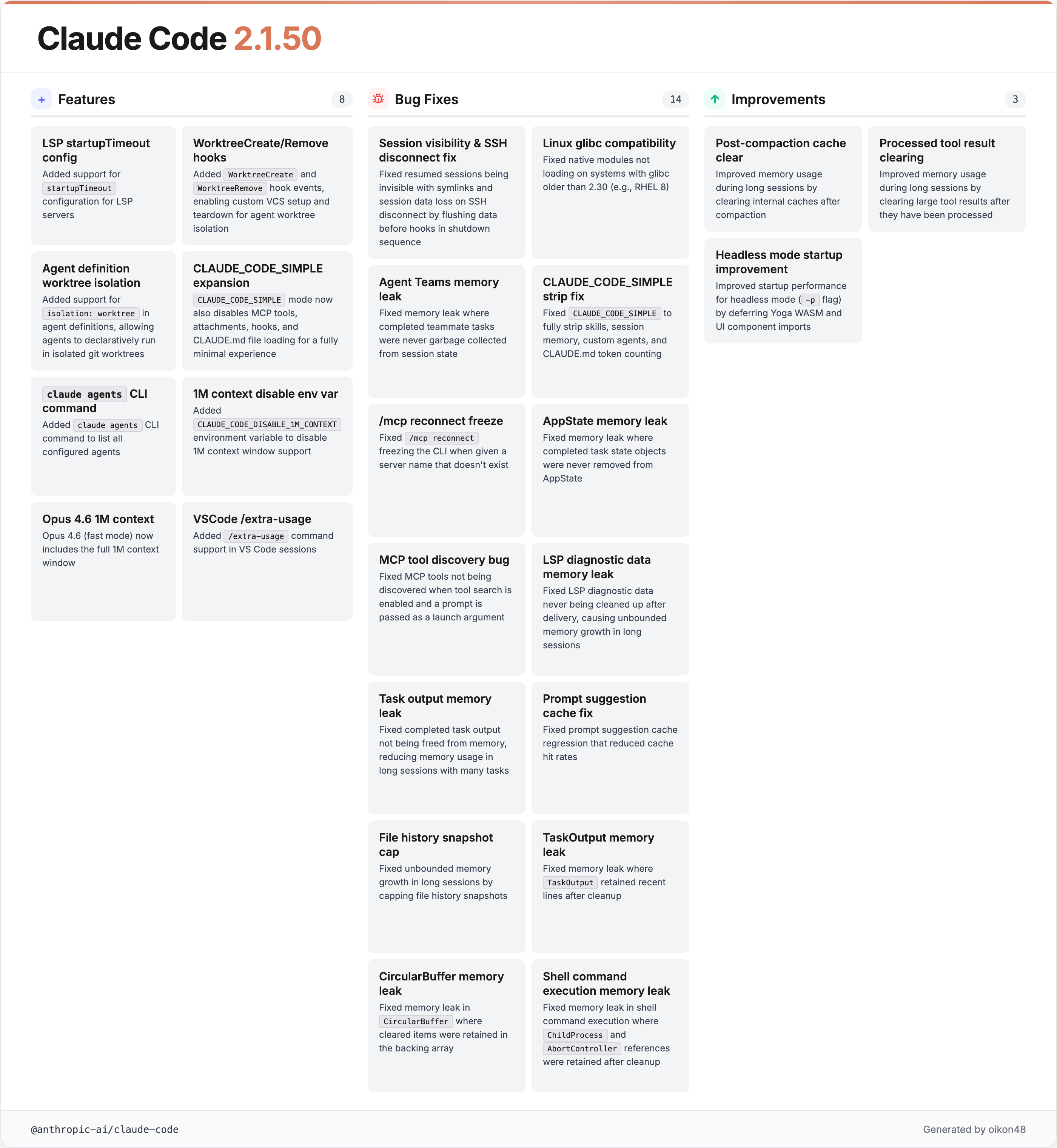
WorktreeCreate/WorktreeRemove Hooks
Added
WorktreeCreateandWorktreeRemovehook events, enabling custom VCS setup and teardown when agent worktree isolation creates or removes worktrees.
Hook events for worktree creation and removal have been added. Combined with the --worktree flag from v2.1.49, you now have hook-based control over the entire worktree lifecycle.
Declarative Worktree Isolation in Agent Definitions
Added support for
isolation: worktreein agent definitions, allowing agents to declaratively run in isolated git worktrees.
You can now specify isolation: worktree directly in agent definition files (.claude/agents/*.md).
claude agents CLI Command
Added
claude agentsCLI command to list all configured agents
A new CLI command to list all configured agents. You can list them with claude agents.

Memory Leak Fixes
Fixed memory leak in agent teams where completed teammate tasks were never garbage collected from session state Fixed a memory leak where LSP diagnostic data was never cleaned up after delivery, causing unbounded memory growth in long sessions Fixed a memory leak where completed task output was not freed from memory, reducing memory usage in long sessions with many tasks
v2.1.50 includes a wave of memory leak fixes covering Agent Teams tasks, LSP diagnostic data, CircularBuffer, shell command execution, TaskOutput, and file history snapshots. Memory consumption in long-running sessions should be significantly improved.
Undocumented Feature
Context Usage Percentage on Plan Approval
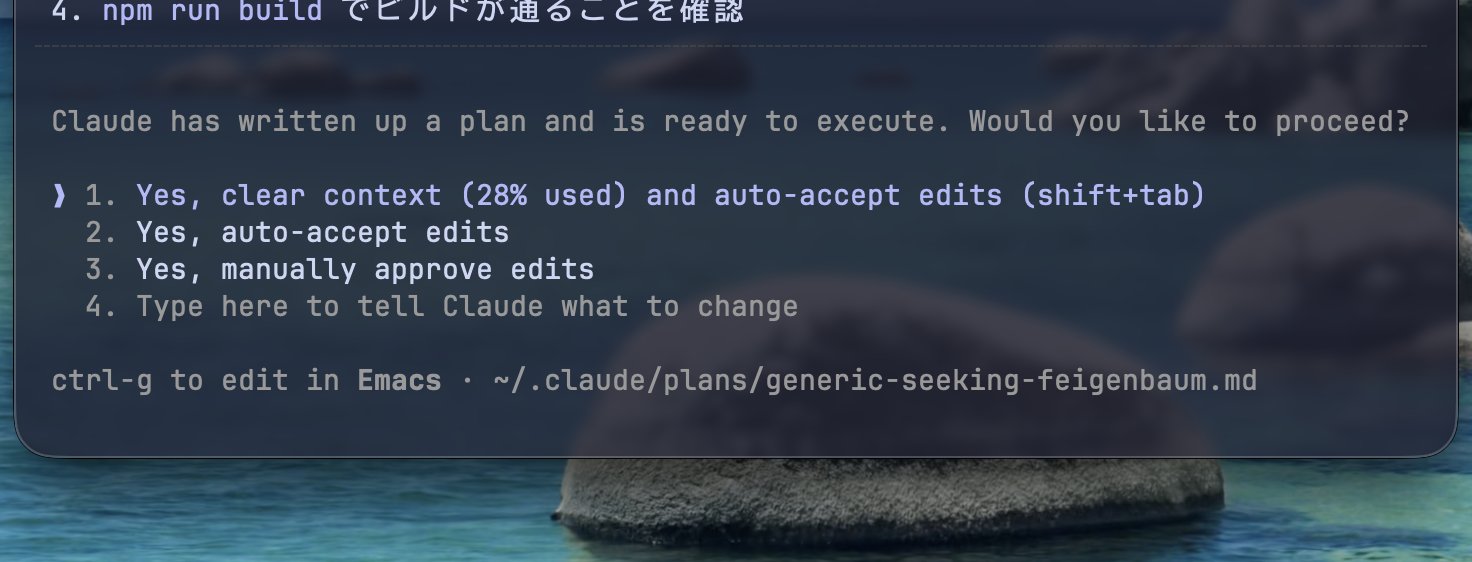
When approving a plan in Plan mode, the current context usage is now displayed as a percentage. This wasn’t mentioned in the release notes.
Previously, you could see the context window size via the status line, but it wasn’t visible during plan approval. Since many users want to decide whether to clear context based on remaining window size, this is a welcome addition.
Other Claude Code Topics
Major Claude Code Desktop Update

Claude Code のデスクトップ版が大幅にアップデート。大きく分けて4つの機能が入りました。 1. Server Preview機能: デスクトップ内でdevサーバーを自動起動して、プレビュー画面を表示できるように(CursorのBrowser tabに近い)。Preview内のコンポーネントを指定して指示も可能。 2.


Claude Code on desktop can now preview your running apps, review your code, and handle CI failures and PRs in the background. Here’s what's new:
Claude Code Desktop received a major update with four new features:
- Server Preview: Automatically starts a dev server and shows a preview inside the desktop app
- File Viewer: Browse file contents directly
- Markdown Preview: Rendered markdown preview
- Diff View: Visual code change diffs
Claude Code Security (Research Preview)
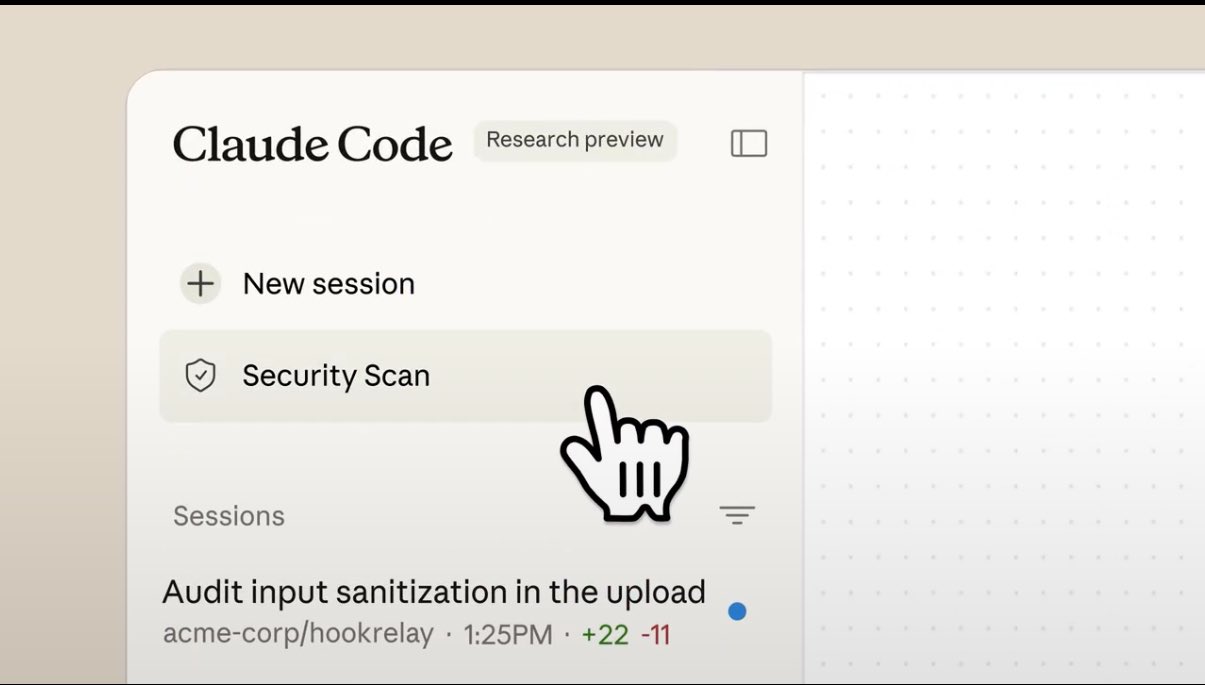
Claude Code Security has been released as a Research Preview. Powered by Claude Opus 4.6, it detects complex context-dependent vulnerabilities that static analysis tools miss. Currently available to select Team and Enterprise plan users.
Figma to Claude Code Integration
A new Figma-to-Claude Code integration lets you pass design data directly to Claude Code for implementation.
Opus 4.6 [1M] Context Window Behavior
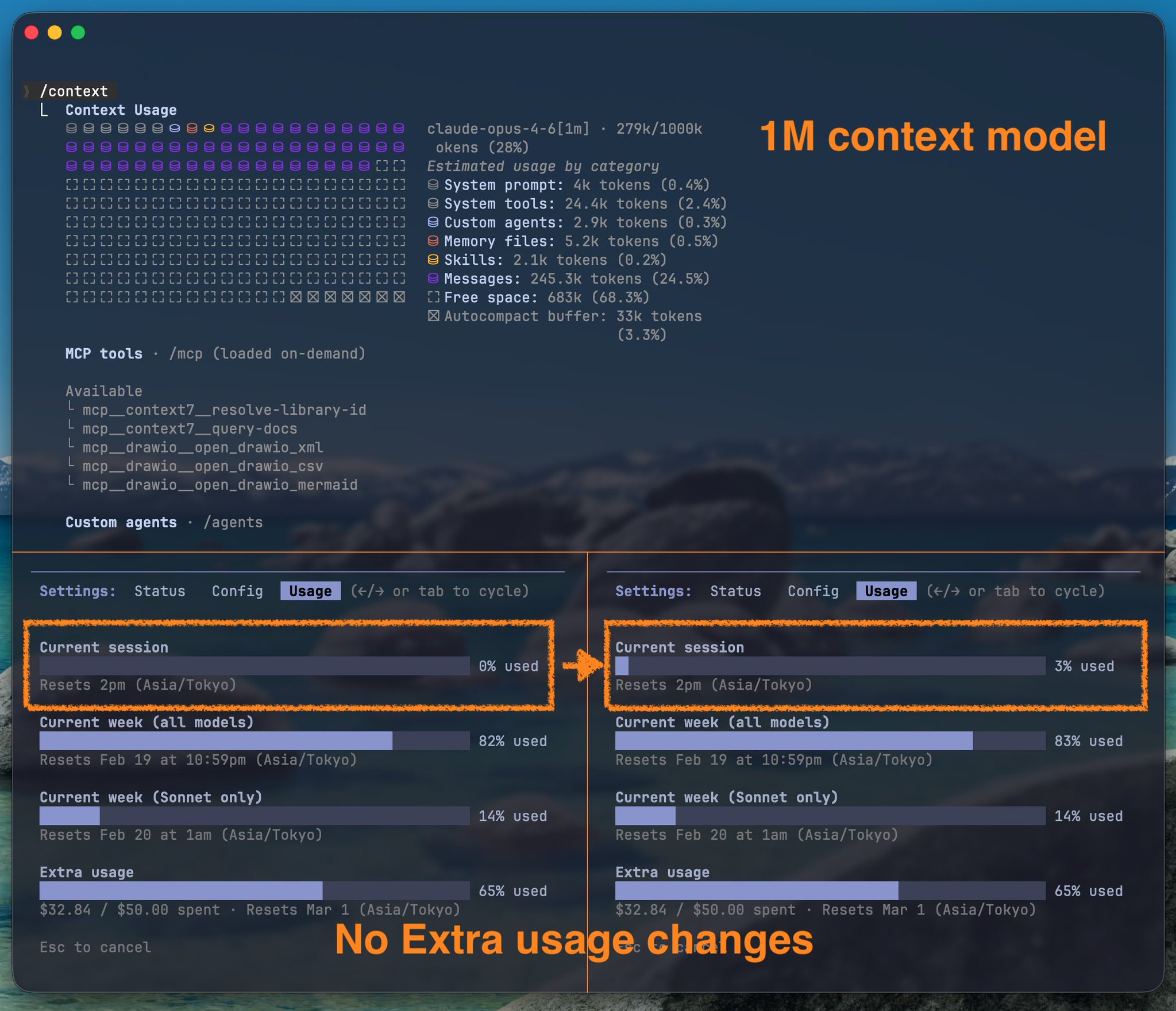
About the 1M context window on Opus 4.6 [1M]:
For roughly half a day after release, going beyond the default 200k context window did not consume Extra usage. This has since been corrected. Now, the first 200k draws from your regular session limit, and anything beyond 200k draws from Extra usage.
Closing
Thank you for reading!